Marcin Wichary
9 March 2026 / 4,000 words / 55 images
I don’t know what is Apple’s endgame for the Fn/Globe key, and I’m not sure Apple knows either
Every modifier key starts simple and humble, with a specific task and a nice matching name.
This never lasts. The tasks become larger and more convoluted, and the labels grow obsolete. Shift no longer shifts a carriage, Control doesn’t send control codes, Alt isn’t for alternate nerdy terminal functions.
Fn is the newest popular modifier key, and it feels we’re speedrunning it through all the challenges without having learned any of the lessons.
1
The first Fn key that mattered arrived with perhaps the most cursed and ridiculed computer in history, IBM’s 1984 PCjr.
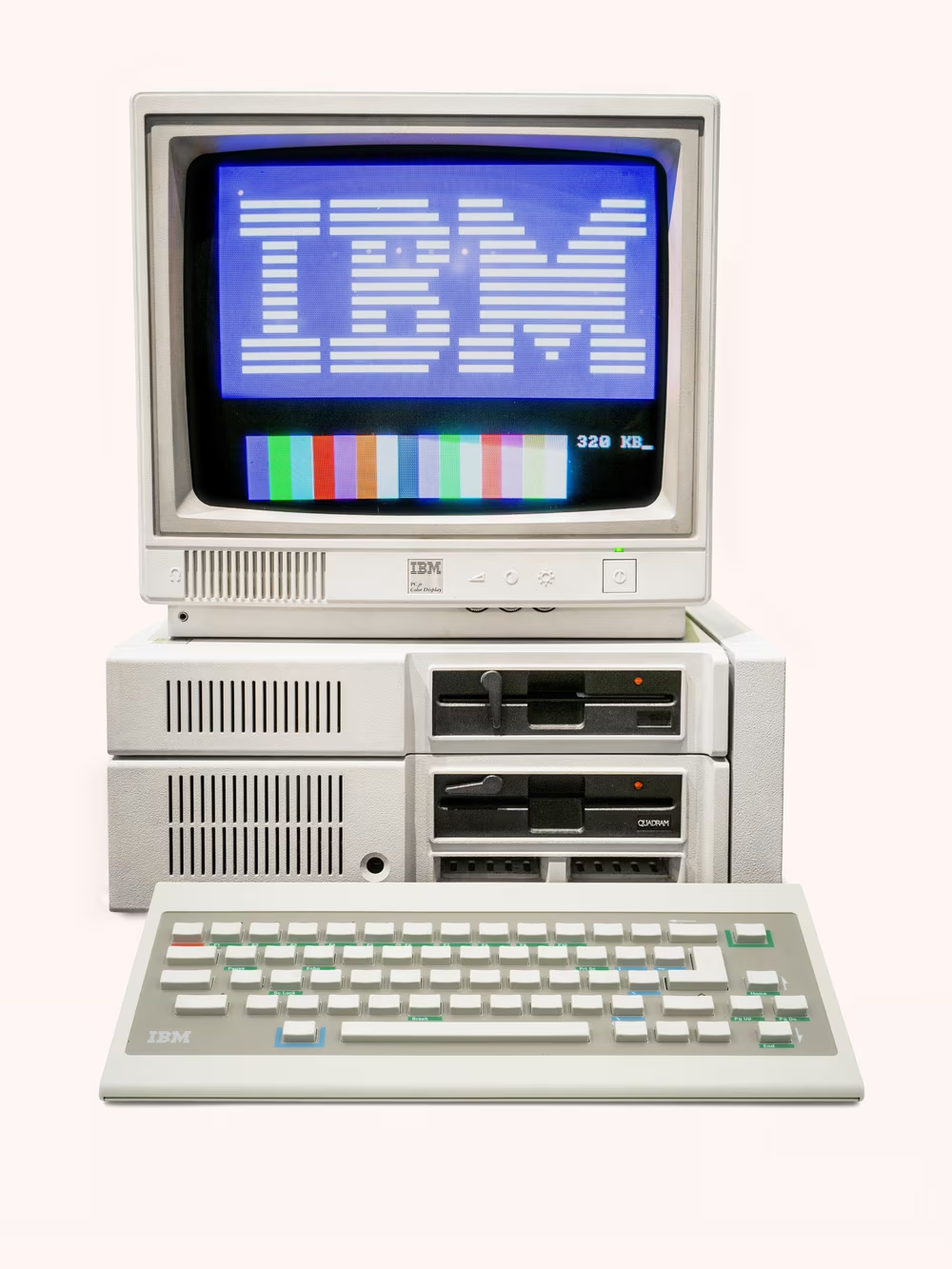
PCjr was envisioned as a home version of the massively popular office 1981 PC and its revered Model F keyboard:
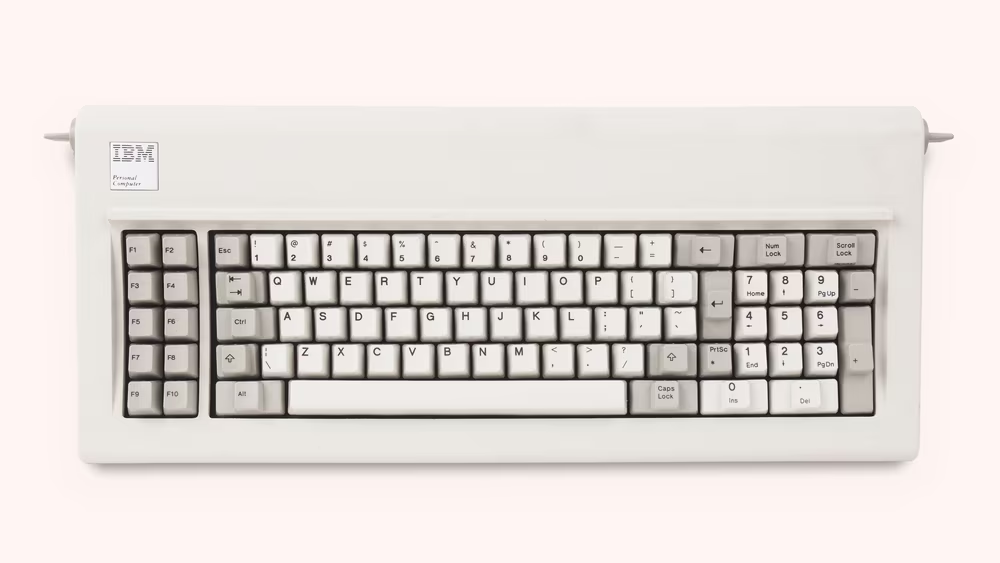
Depending on how you look at it, PCjr’s keyboard was cut to hell for reasons of either cost or simplicity. Its key count – 21 fewer than the PC – was similar to the Macintosh’s keyboard that debuted just two months earlier. But the Mac was starting anew, and IBM had to deal with the baggage of the 3-year-old platform. The promise of software compatibility of the new home computer with its “senior” predecessor came with a design challenge: keys couldn’t simply be removed.
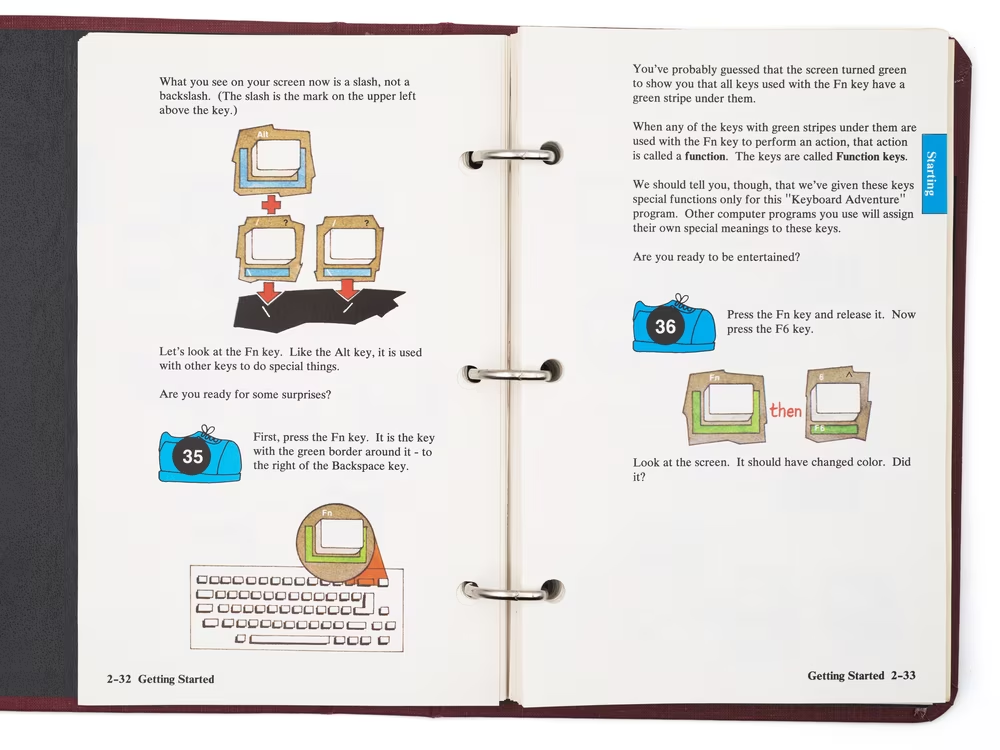
The solution was the Fn key, put in the upper right corner, meant to bring back from the dead the missing keys by making the surviving ones pretend to be them:
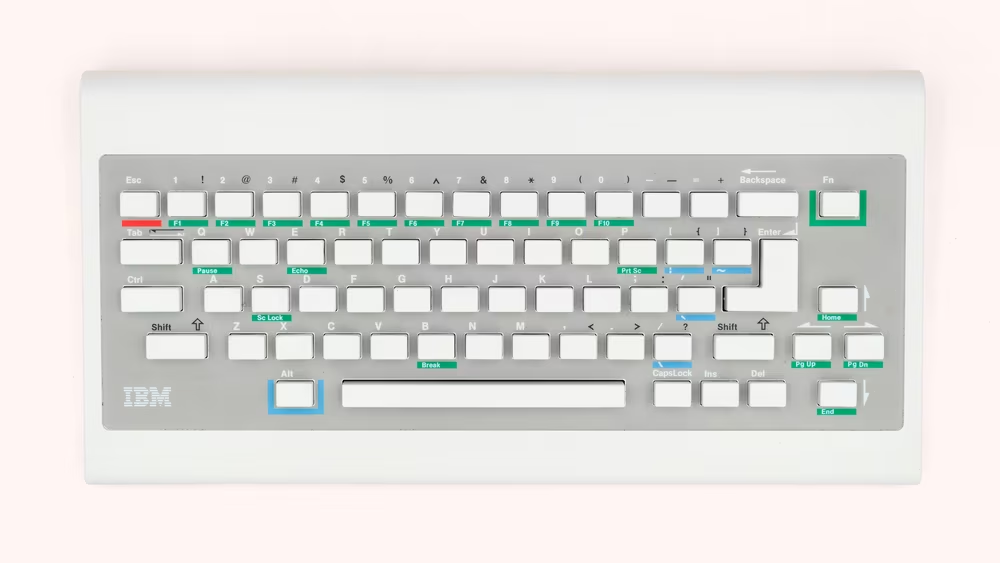
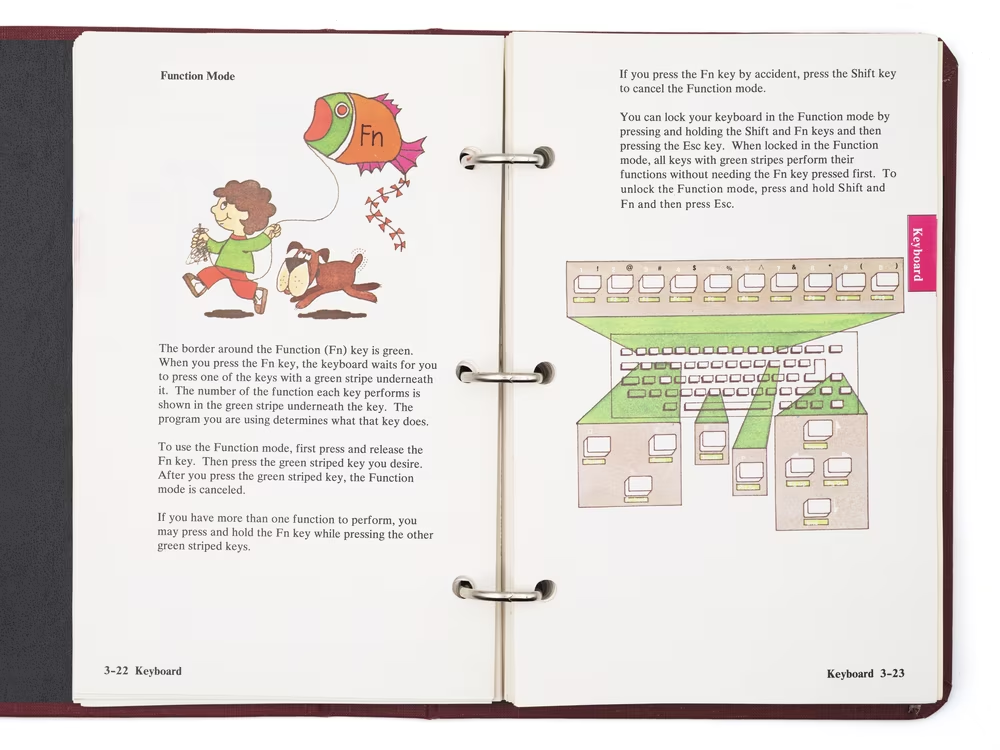
The system was color-coded in a neat way that was easy to understand. FnP would do the same as PrtSc on the larger keyboard, Fn6 would simulate F6, and so on.
The label “Fn,” in hindsight, was a bit unfortunate. There was some sense to it, as the key was changing the function of other keys. But there already were 10 function keys on other keyboards. Adding another thing that could be called a “function key” into the mix was tricky.
Most importantly for our conversation, the Fn key was resolved internally inside the keyboard. When you pressed FnS, the keyboard would not report those two keys to the host computer. Instead, it would only send an event for the ghost key it represented, Scroll Lock. To the computer, it really seemed like the missing key was there.
Like many computers at that time, PCjr also had a bunch of “computer operation” shortcuts – the kind of things you might expect on the fascia of the computer case itself. The most famous one, CtrlAltDel, requires no explanation. The others – CtrlAlt← or → for adjusting the position of the screen, and CtrlAltCaps Lock to toggle keyboard clicking – were molded in the original’s image.
2
The creators of PCjr chose to make their keyboard small and cuddly. The laptop companies didn’t have a choice: the machines had to be small, and some of the keys simply couldn’t fit.
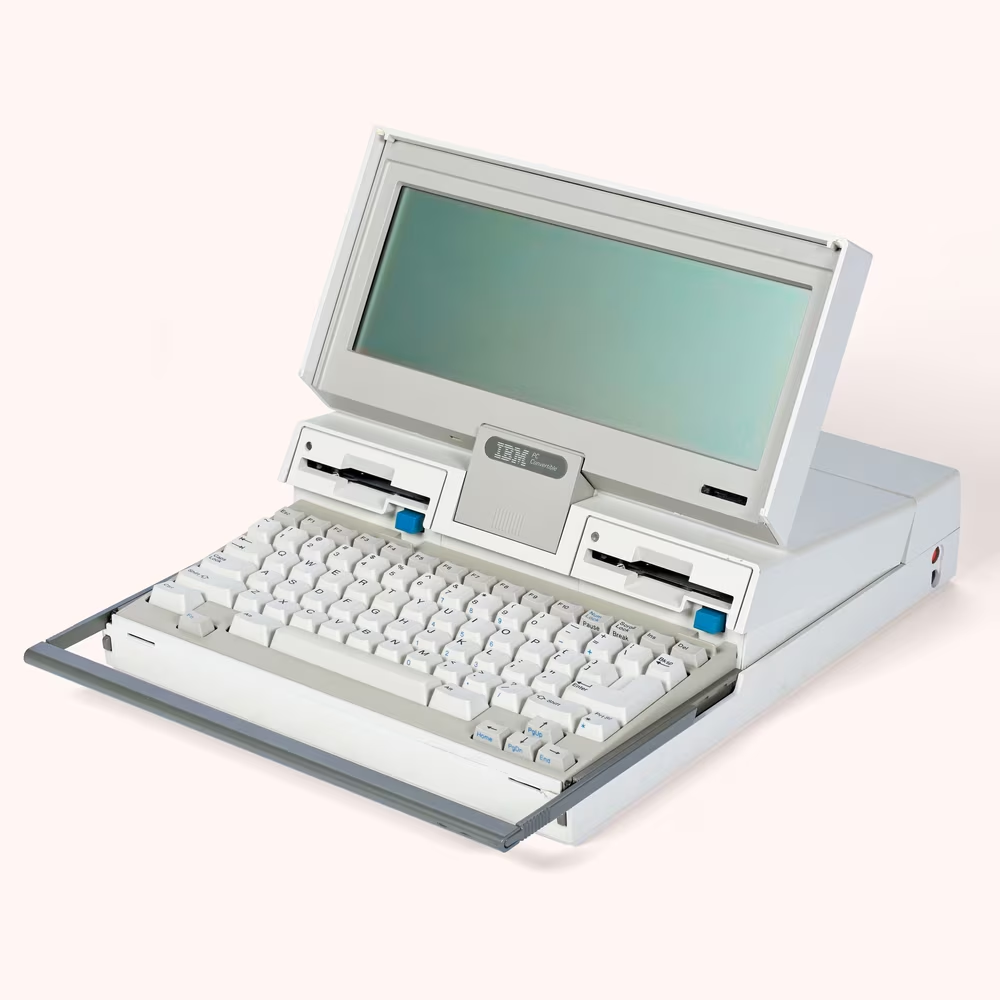
PCjr crashed and burned, and was followed two years later by PC Convertible, the machine Cathode Ray Dude once named the longest laptop ever made. But the Fn convention stuck; even though the laptop actually came with 10 proper function keys atop, a few other missing keys still needed representation.
A year later, in 1987, Toshiba’s early T1000 and T1200 laptops did something similar. Eventually, so did Zenith, Tandy, Samsung, and pretty much every laptop and then notebook manufacturer.
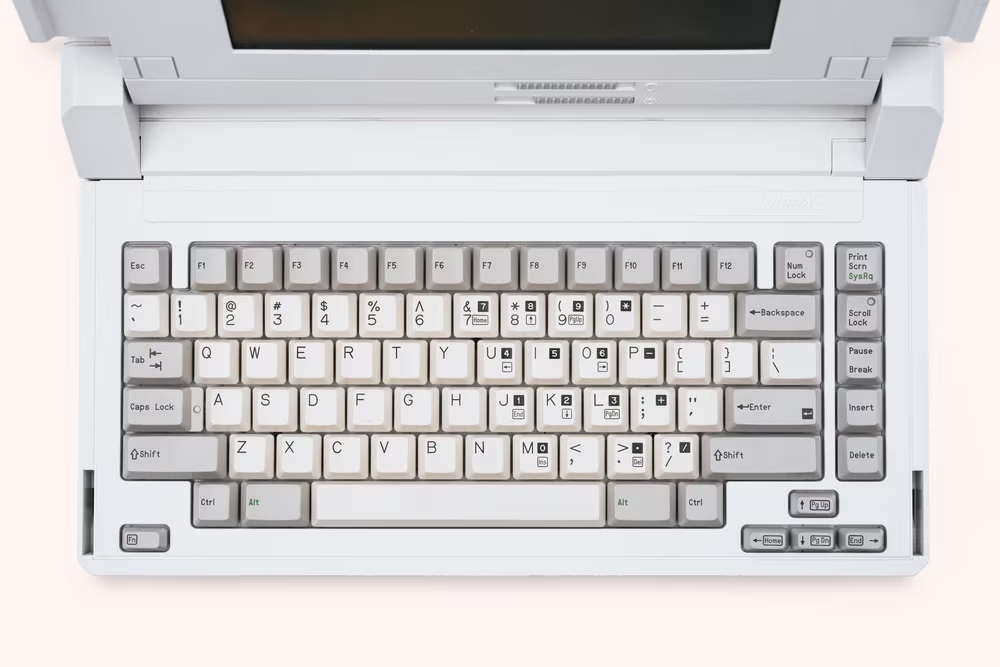
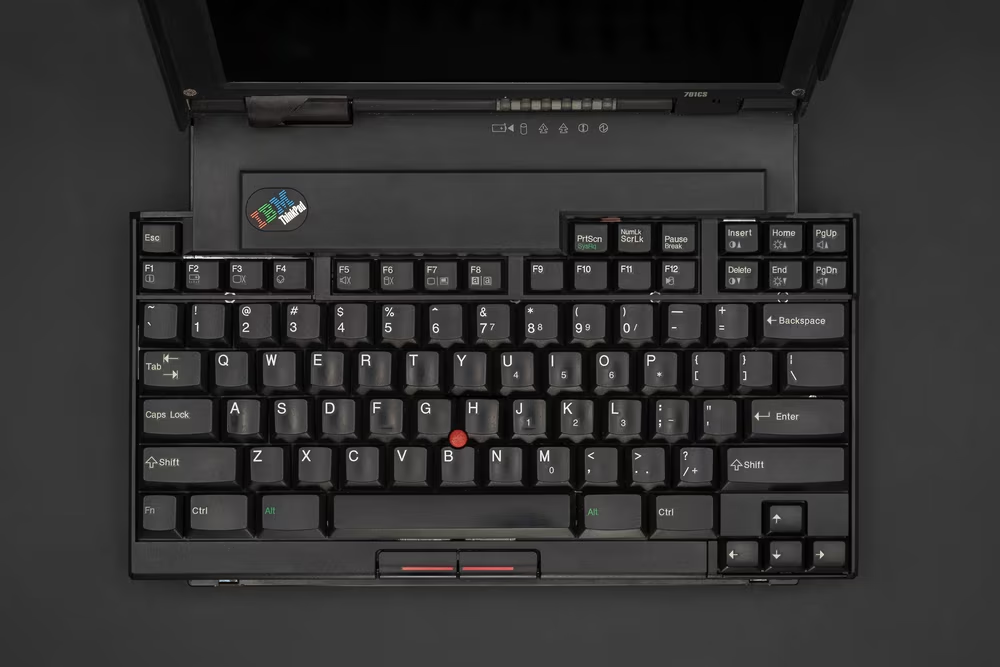
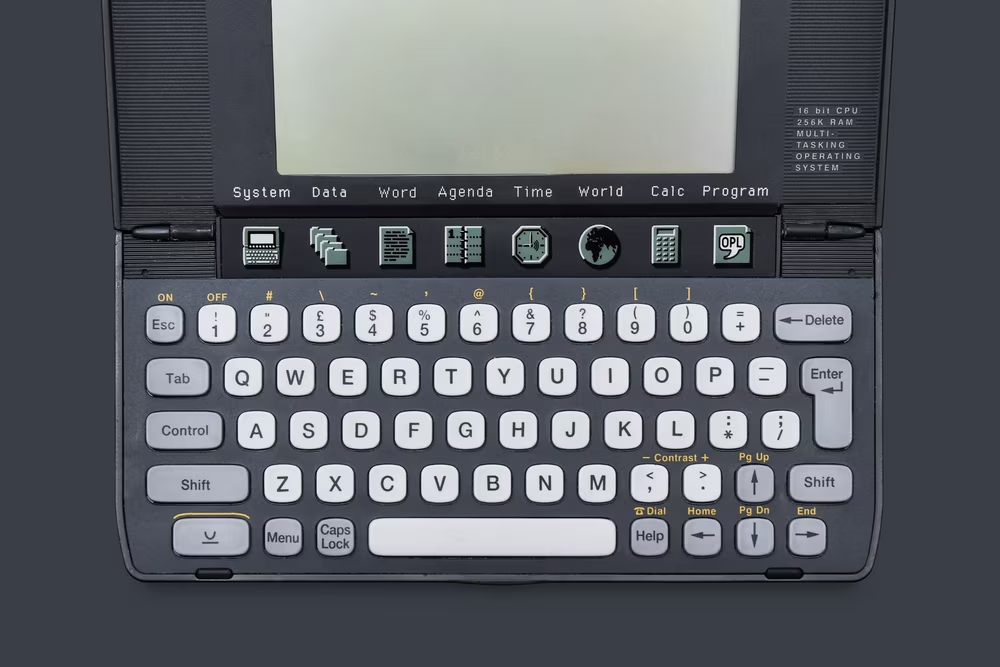
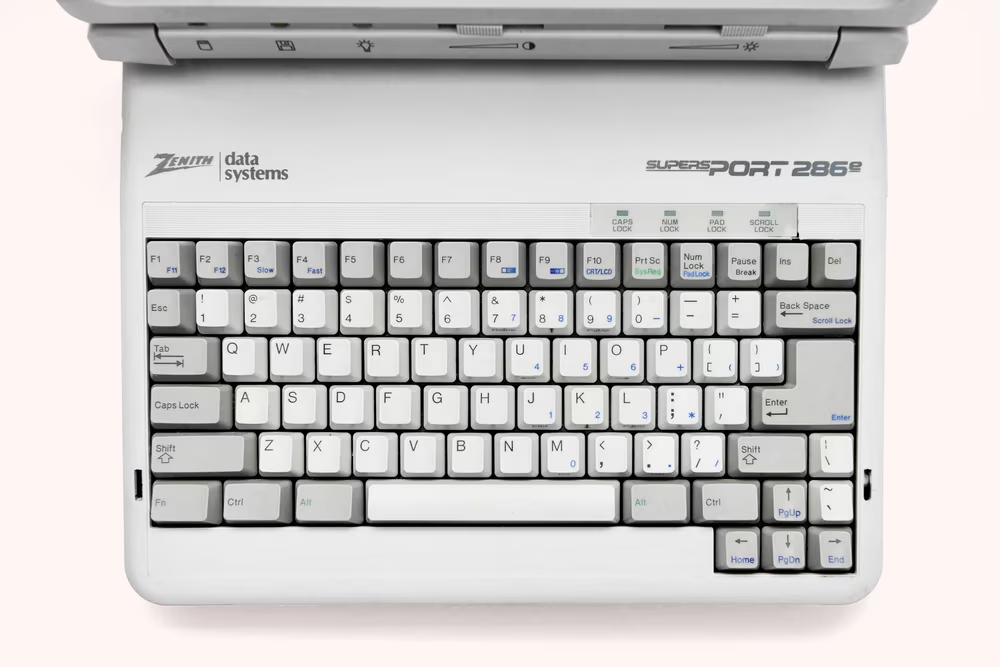
Just like in 1984, Fn was used to make keys pretend they’re Home, End, PgUp, PgDn, plus a few more rare keys like Break or PrtSc. But nature abhors a vacuum, freeways generate traffic, and keys end up being given more work.
Fn’s tasks were quickly expanded to simulate the numeric keypad, or the newer and oft-omitted F11 and F12 keys. Then, designers realized that the “computer operation” shortcuts could benefit from being assigned to Fn rather than the more cumbersome CtrlAlt prefix. And so, PC Convertible allowed FnCaps Lock to toggle keyboard clicking, on Toshiba’s laptops Fn→ would swap fonts on the screen, and on Packard Bell’s FnF7 inverted the colors.
The battle between CtrlAlt and Fn raged on for a few years. NEC Ultralite in 1988 had a small red Fn key wedged between Ctrl and Alt, but still used CtrlAltH for high and L for low speed – the keyboard equivalent of the Turbo button on the desktop case. Other laptops, however, already used Fn for this purpose: Fn+ and –, FnF3 and F4, or FnPgUp and PgDn.
Standardization was indeed rare. Swapping to an external display was FnEnd on a Toshiba, FnPrtSc on an HP, and FnF5 on… a different HP model. HP also allowed FnSpace to mute the system, while on European versions of Tandy 1000FD, the same combination acted as the missing backslash and pipe key.
But a common meta convention started appearing at least, and it was a sort of perversion of the original idea established by the PCjr. Notebooks all came with a row of F1–F10 function keys, and many of those keys started to have internal second lives devoted to computer operation. Volume control, screen brightness control, and over time things like connecting to external display, battery status, and so on were all assigned to some combination of Fn plus a function key, with legends in distinctive color on fronts of keys back when the keys had fronts.
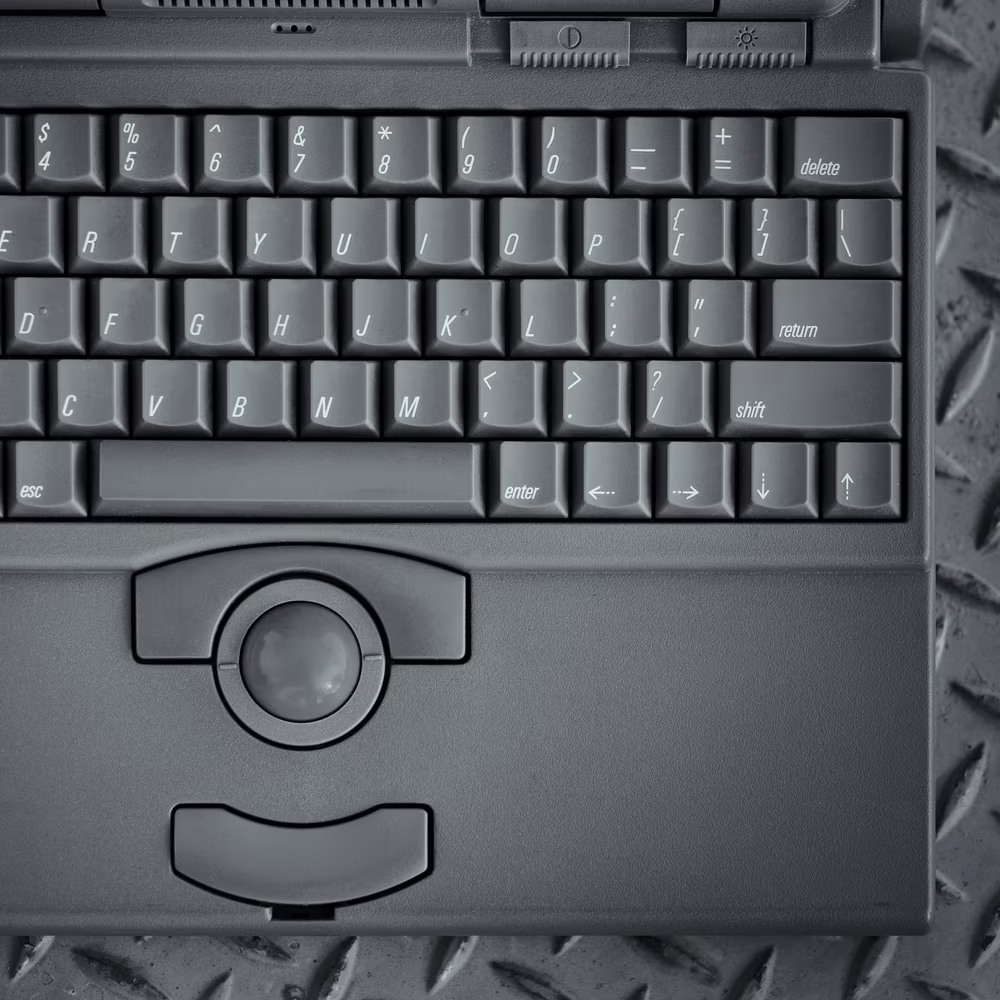
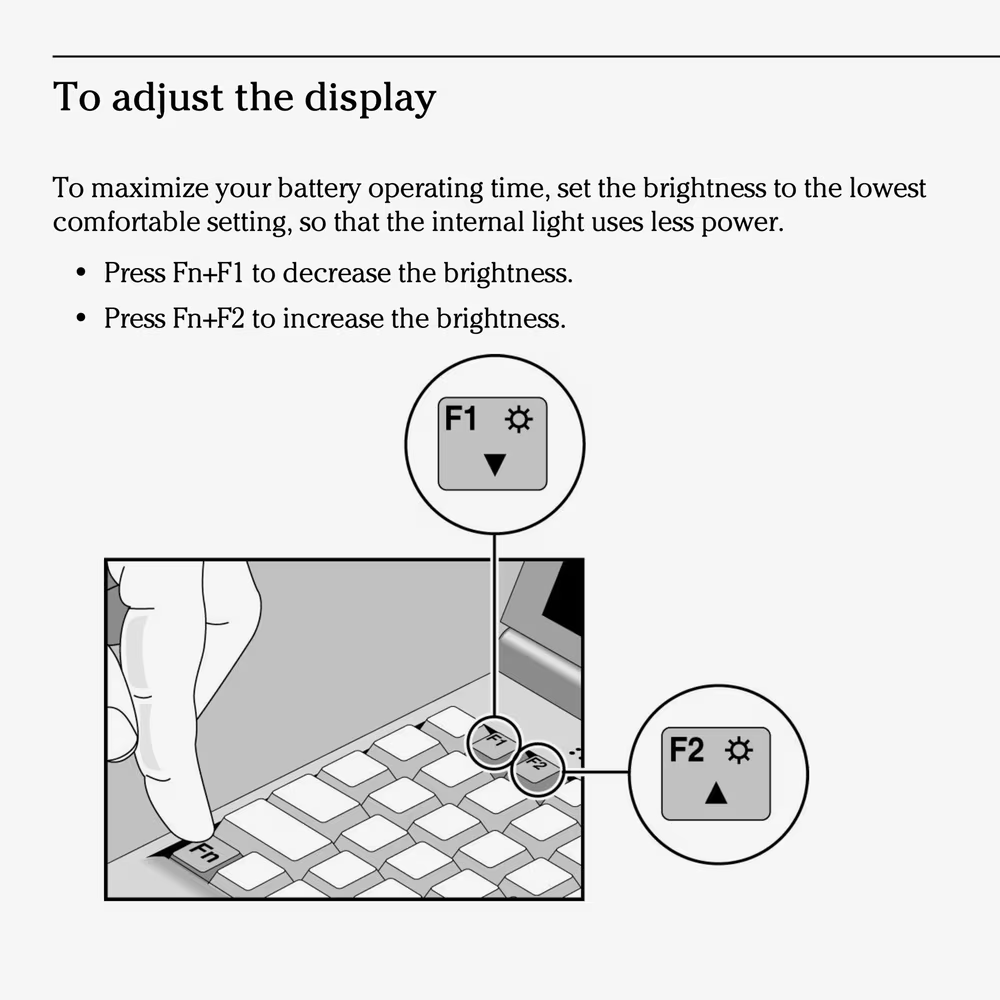
The Fn key itself was typically somewhere in the lower-left corner of the keyboard. And while pretty much every computer did specific combinations slightly differently, the standard purpose for Fn emerged to be these two jobs:
- help resurrect keys known from larger, over-100-key keyboards
- operate internal functions of the computer, usually assigned to the function key row
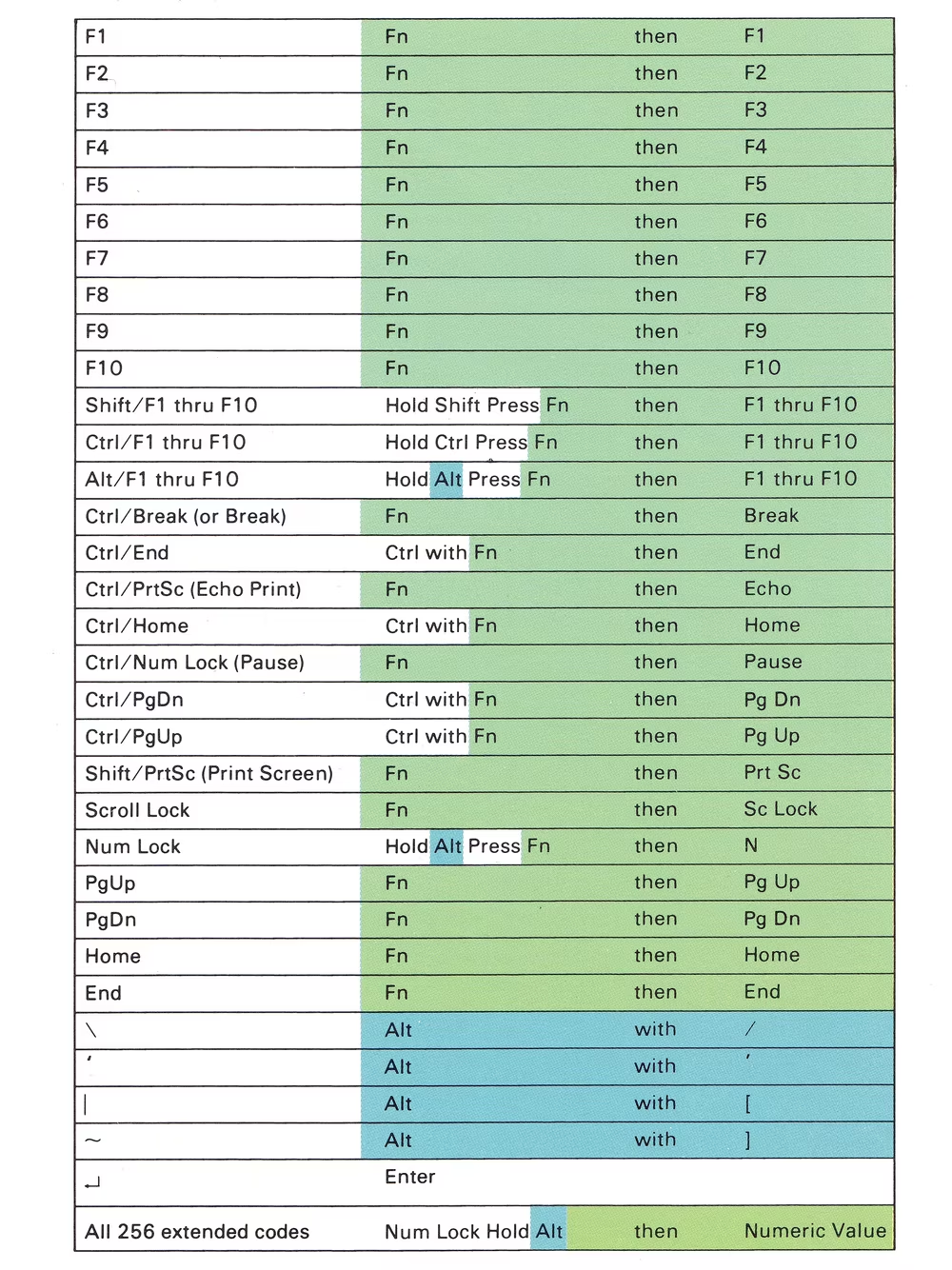
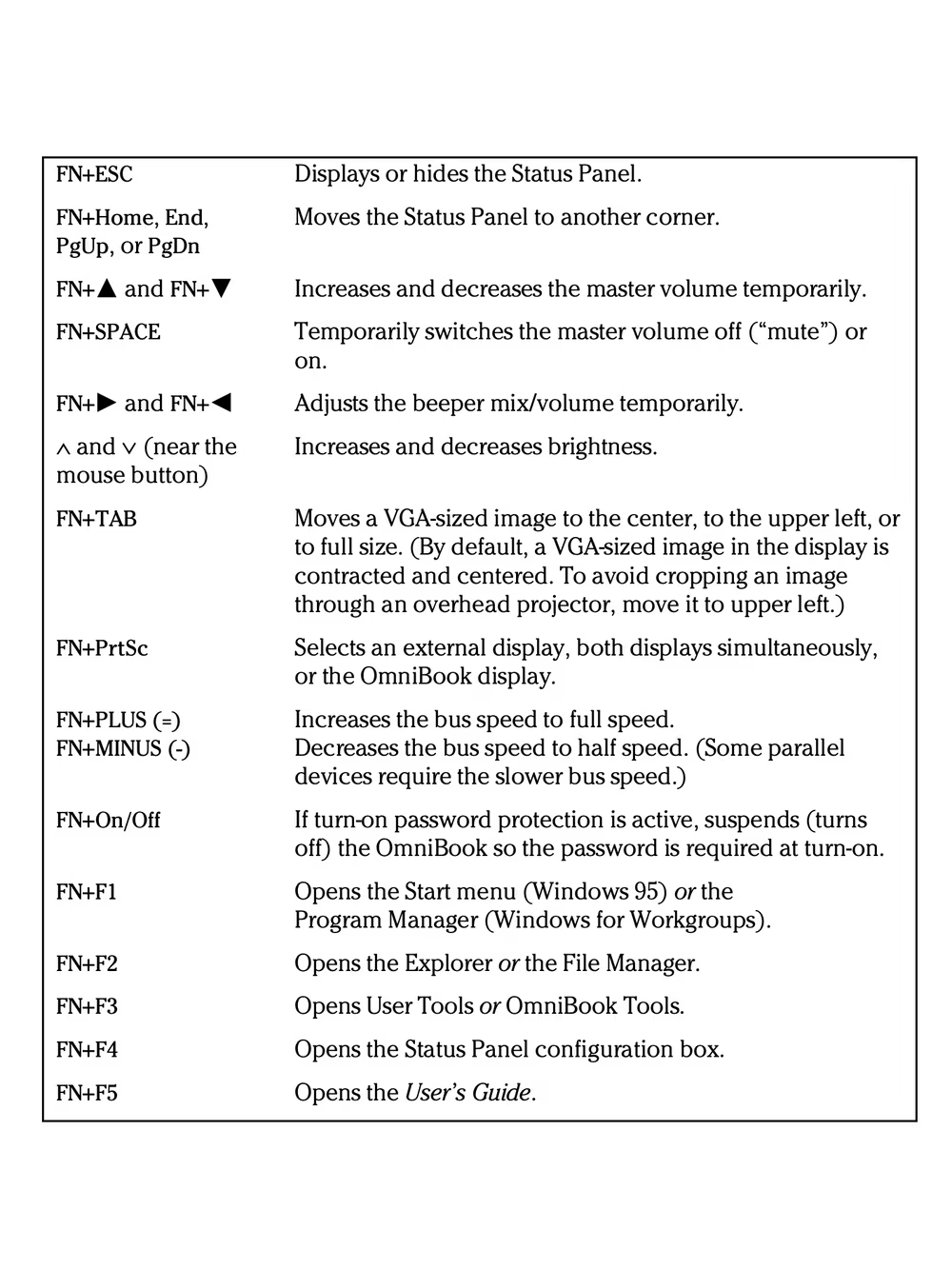
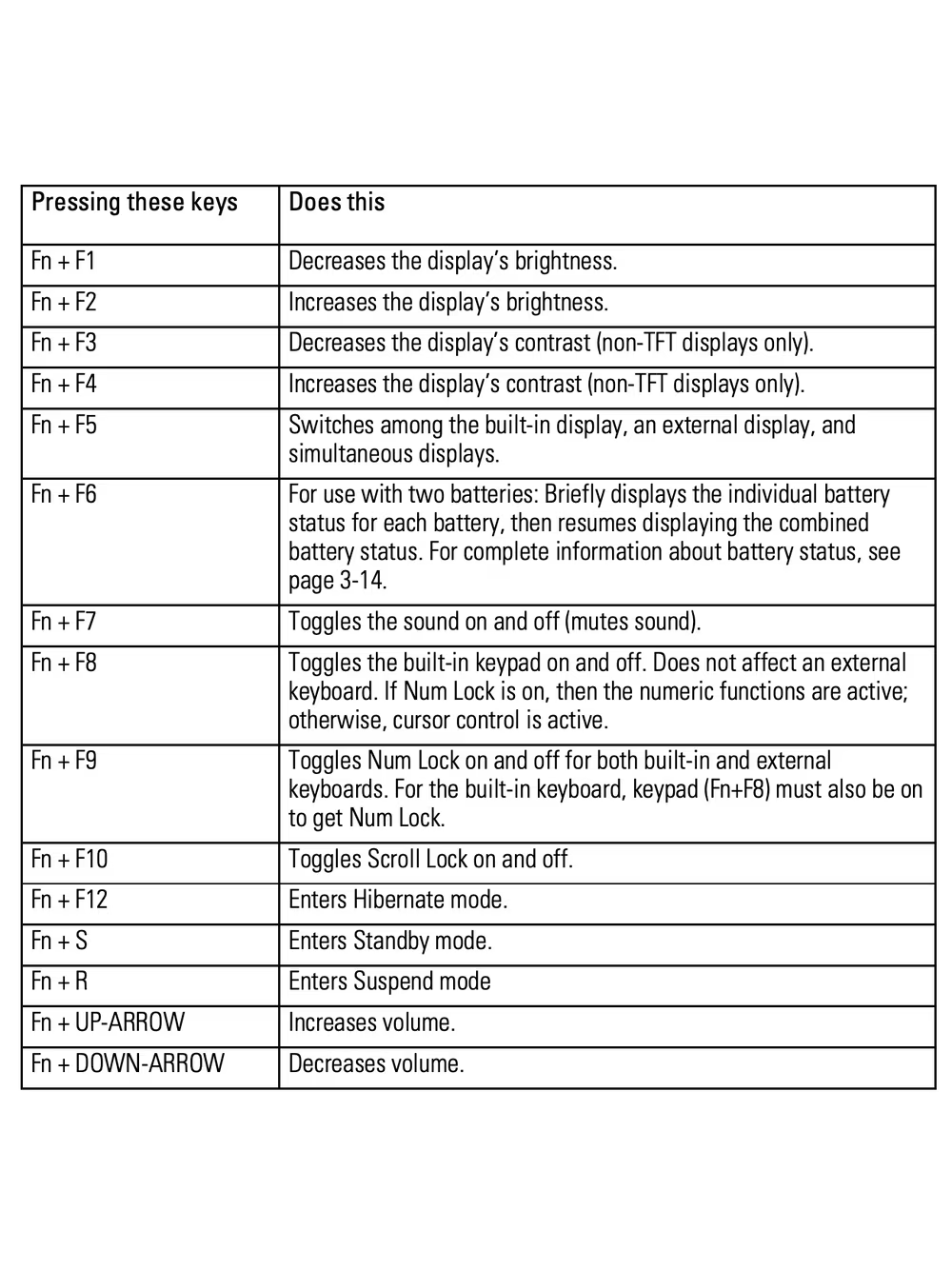
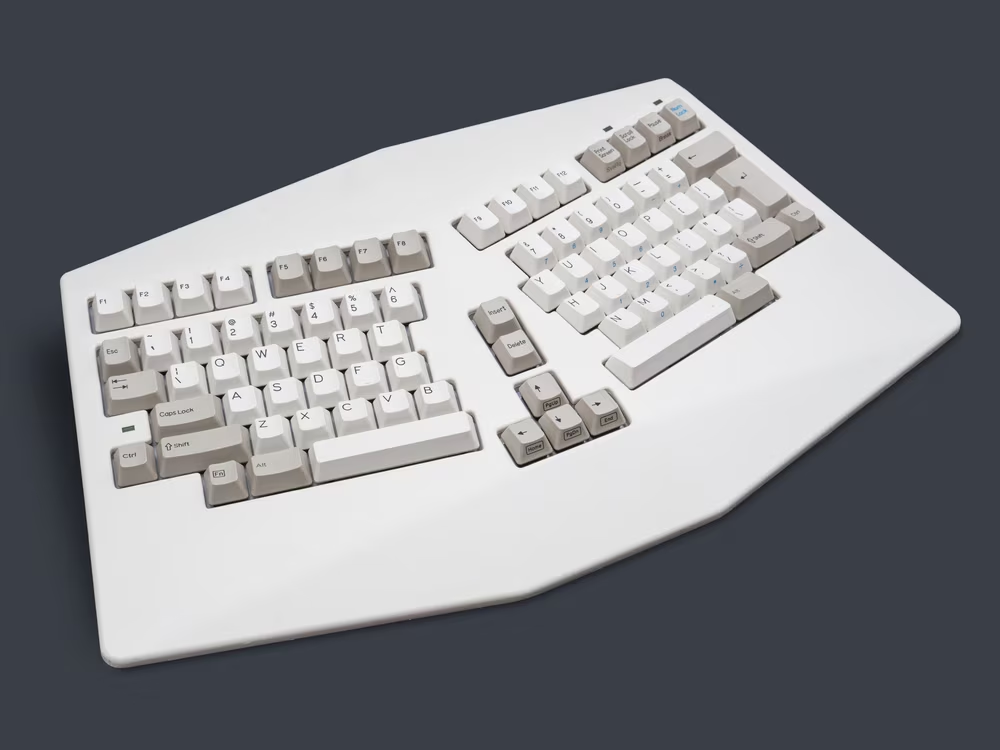
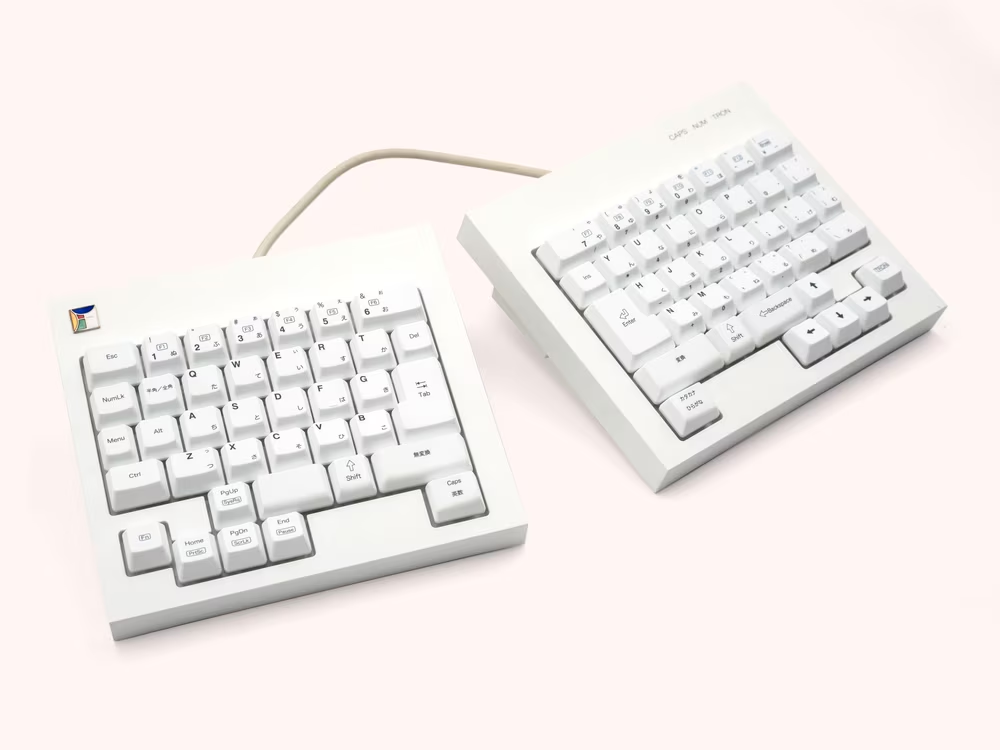
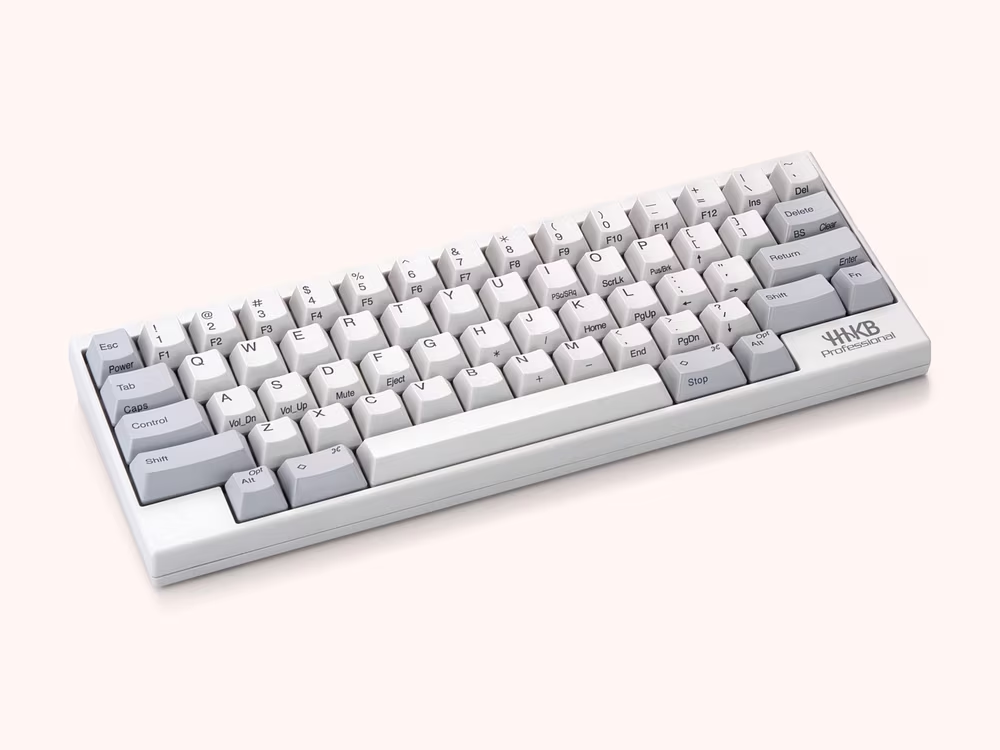
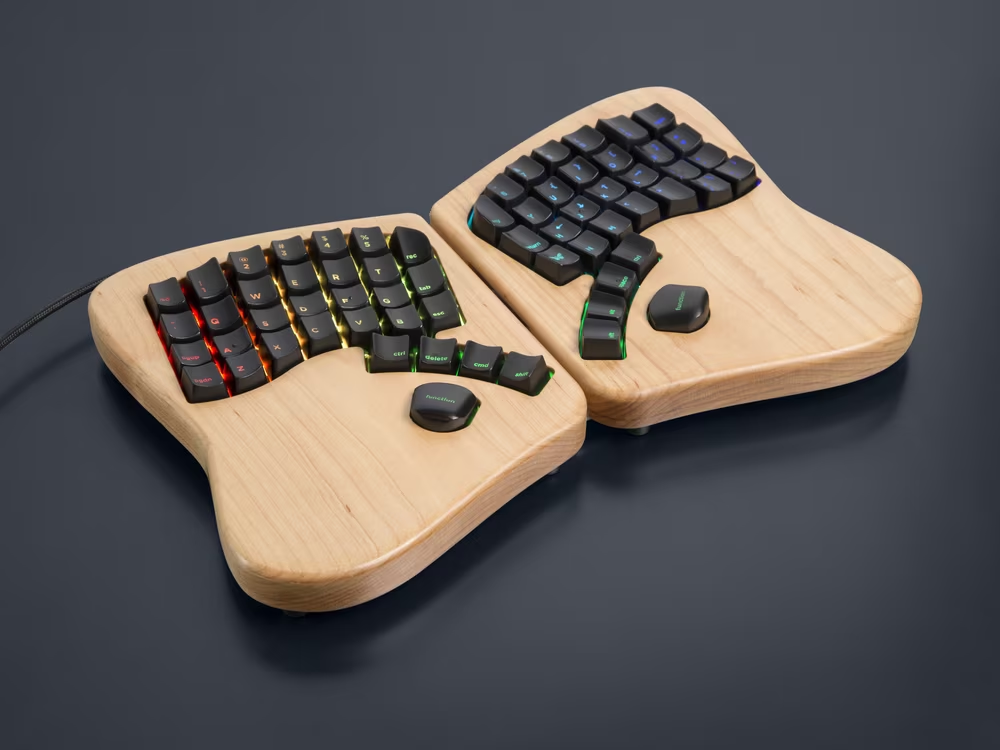
Eventually, we went full circle, and some desktop keyboards embraced Fn again for reasons of space constraints, desires for power-user customization, or both.
3
This brings us neatly to the era of Windows.
Fn was far from the first modifier, of course, and this is where PCs started with a lot of historical baggage. Shift came from typewriters, Control from teletypes, Alt from earlier IBM mainframes, and even Backspace from the times where that early typewriter key was simply… a space going back without any deletion.
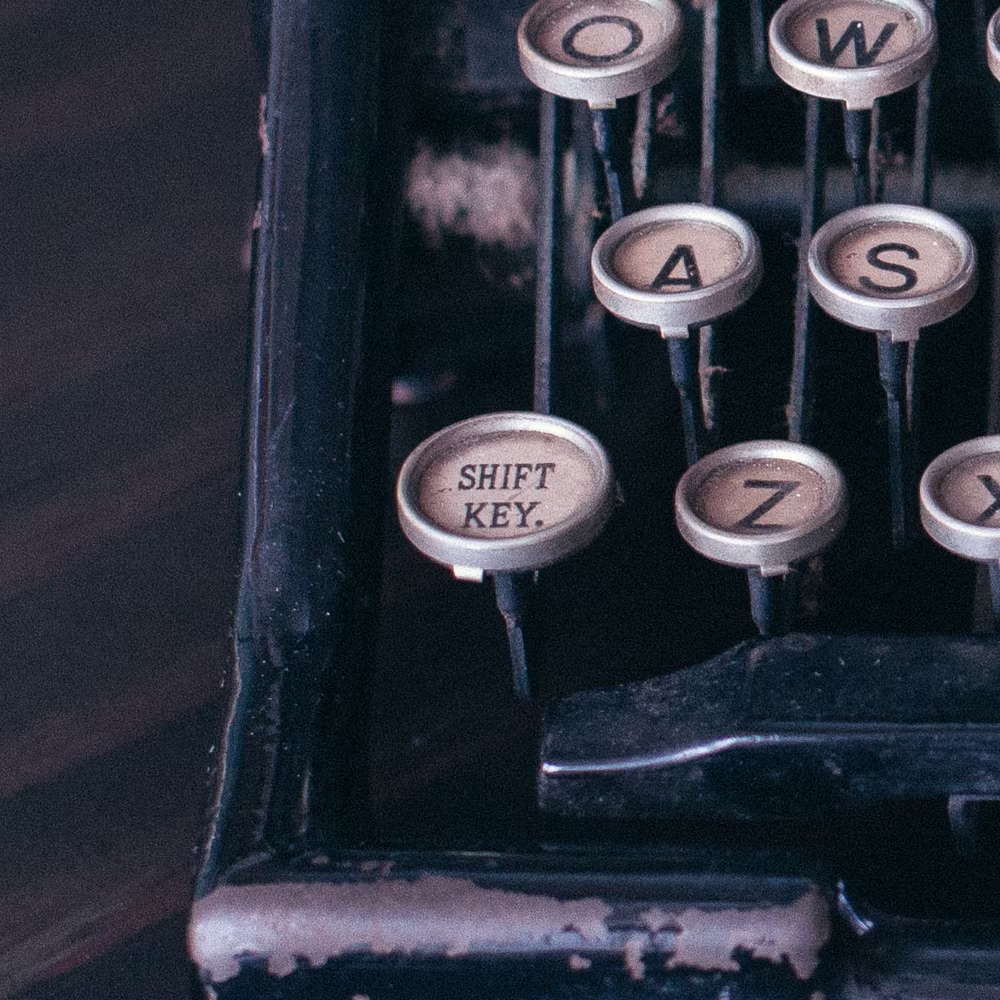
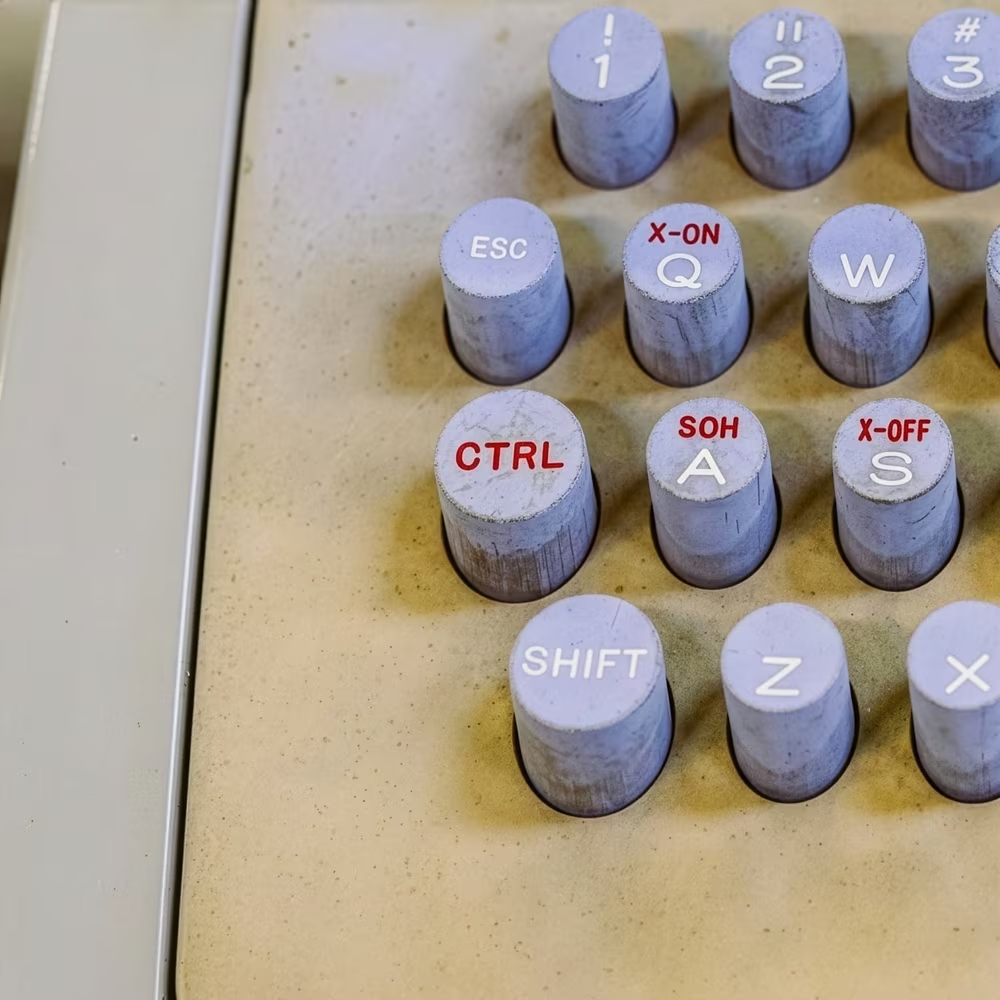
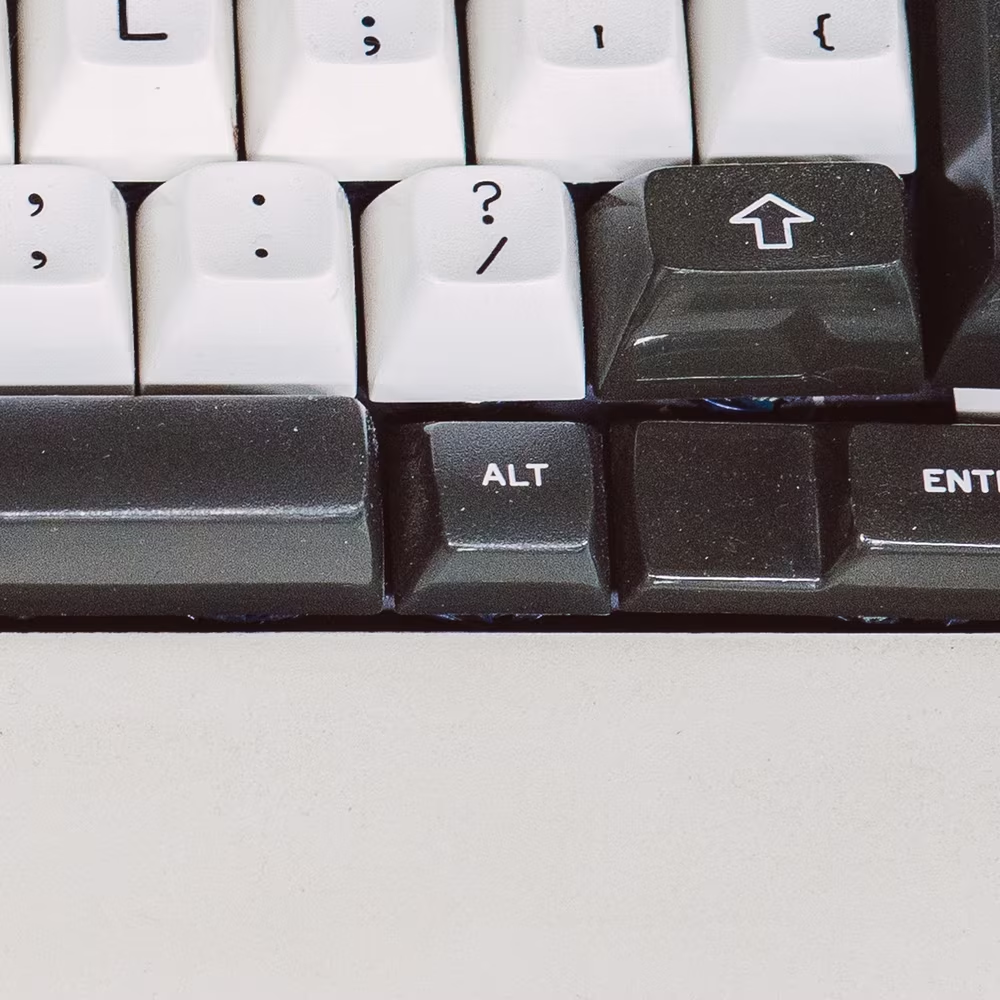
After witnessing the DOS apps becoming a wild west of keyboard shortcuts and conventions, Microsoft ventured to standardize stuff with Windows, and did a pretty good job. Control was now for shortcuts like copy and paste, and Alt for alternate visual keyboard access. (There was also the unfortunately named AltGr, for printing accent letters needed in Europe.)
And then, around mid-1990s, Microsoft performed something of a power grab. The company invented a new modifier key, Windows (⊞), and basically told all the computer manufacturers: Hey, do you want all the Chicago attention? Then you better put a new key with a Windows logo on your keyboard.
Chicago became the ultrafamous Windows 95, and just around the same time, Microsoft itself also started producing the popular Natural Keyboard with the new keys.
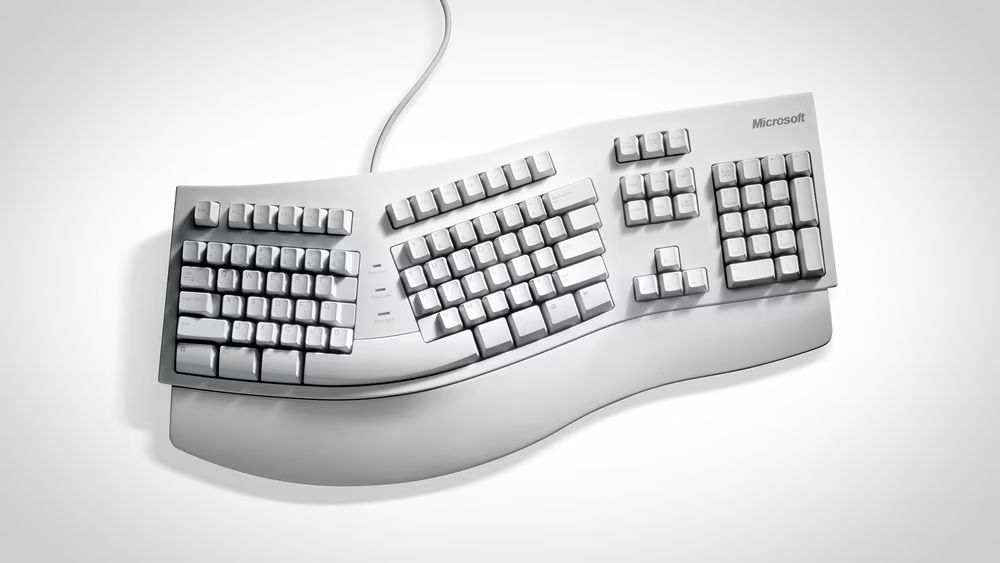
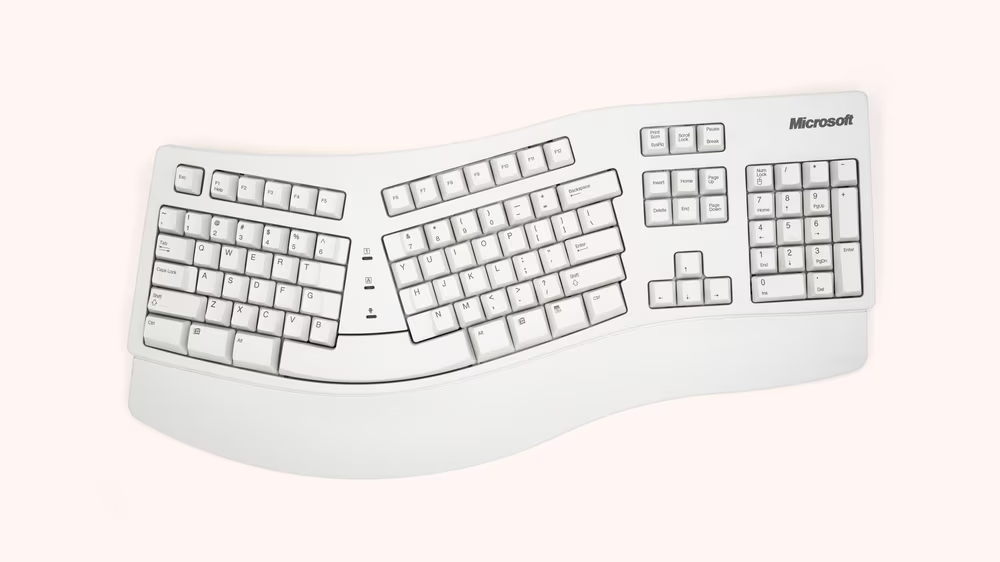
The difference between the Windows key and the modifiers that came before was that ⊞ was reserved for the operating system. A single press popped up the heavily advertised Start menu, and other combinations were there for system-wide stuff, including a lot of windowing: ⊞D to show the desktop, ⊞R to run a command, ⊞M for minimizing all windows, and so on. No apps could claim a shortcut starting with ⊞.
Apple’s path ended up going in the opposite direction. The beginnings with the 1983’s Lisa and the 1984’s Mac were great in their simplicity: Shift was too well-known to mess with, but the other two keys were called Command (for invoking commands) and Option (for alternate keys and as an eventual condiment for more complicated shortcuts). The keys came with iconography – ⇧ and ⌘ and ⌥ – that allowed their presence in menus and eventually tooltips to be compact, which meant you could announce them more easily on cramped screens of yesteryear. Some of the shortcuts, particularly ⌘Z for undo and ⌘XCV for cut/copy/paste, became iconic and used world over.
But what followed was a series of blunders.
The 1986 keyboard, compatible with both Apple IIgs and the Mac, put the Apple logo on the same key as “⌘”. This was meant to help users from each platform, but the end result was catastrophic: since the ⌘ symbol didn’t have an intuitive generic name (propeller? cloverleaf? splat?), now Mac users started thinking of the command key as “the Apple key.”
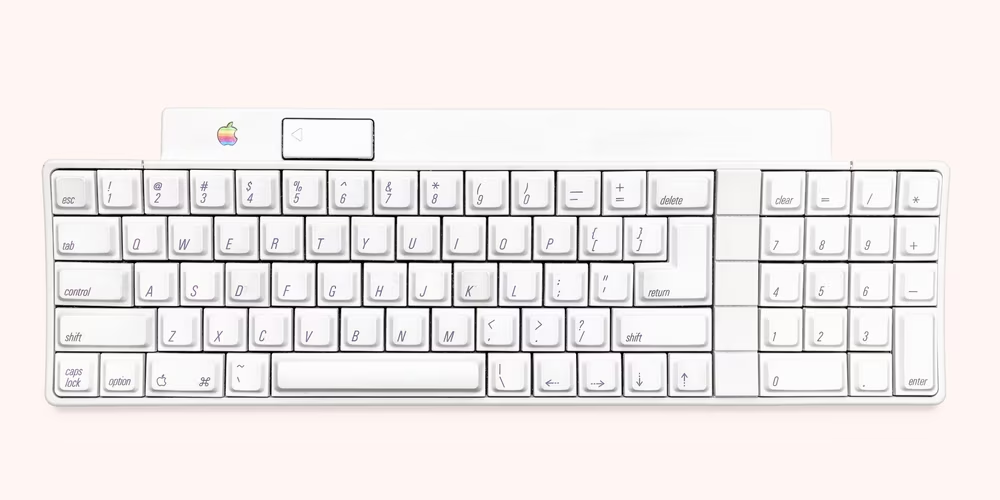
Then there was 1987, when now Mac succumbed to the curse of the fourth year. A platform in trouble after a few years of moribund sales chose to court expandability and PC compatibility, and the new batch of keyboards of that era added previously unimaginable PC affordances. There were now F1–F15 function keys and Num Lock and Scroll Lock lights. A bunch of alternate labels were added, too: F13 was adorned with “Print Screen,” Option got twin-labeled with “Alt,” and Forward Delete received an extra “Del” legend, even though it was right next to a key already labeled Delete.
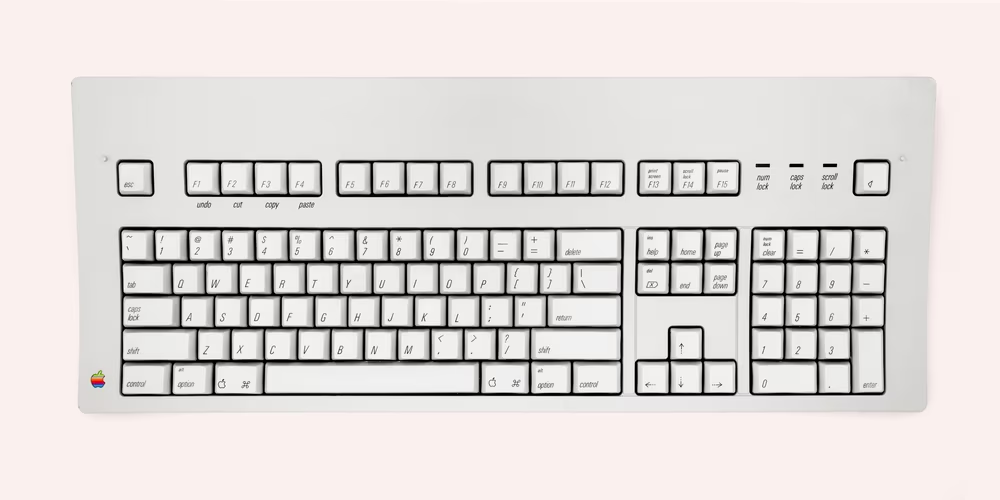
Most crucially, both keyboards introduced a new tenant: Control (⌃). This was modifier key number four, and to this day, I don’t fully understand why ⌘ wasn’t repurposed here, and Apple just slapped on another modifier key with a very similar purpose.
The end result of these decisions was two decades of confusion. Only in 2007, the Apple II computer platform long gone, the company removed their famous logo from Mac’s keys. (The secondary “Alt” label started disappearing 28 years after it was introduced, in 2015, and at the same time Apple began doing something they should have been all along: they consistently started putting text labels next to mysterious symbols on all their keyboard variants.)
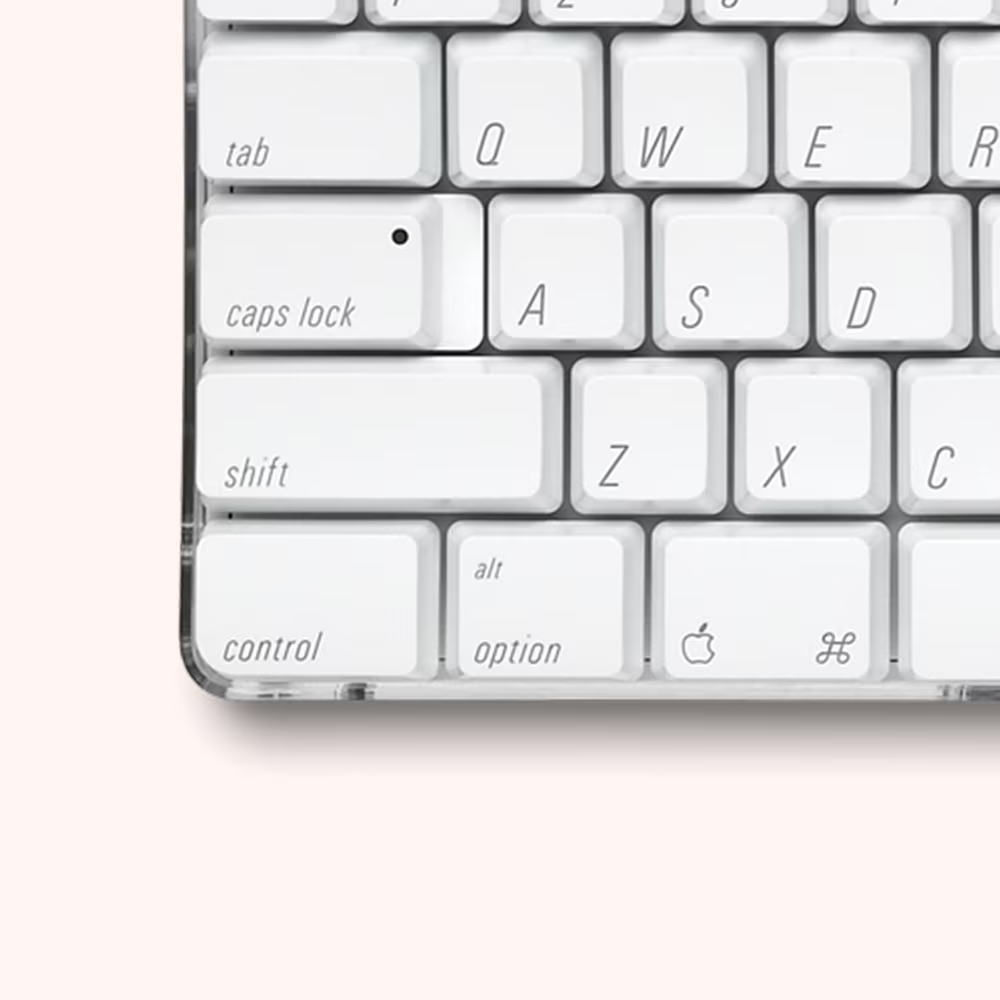
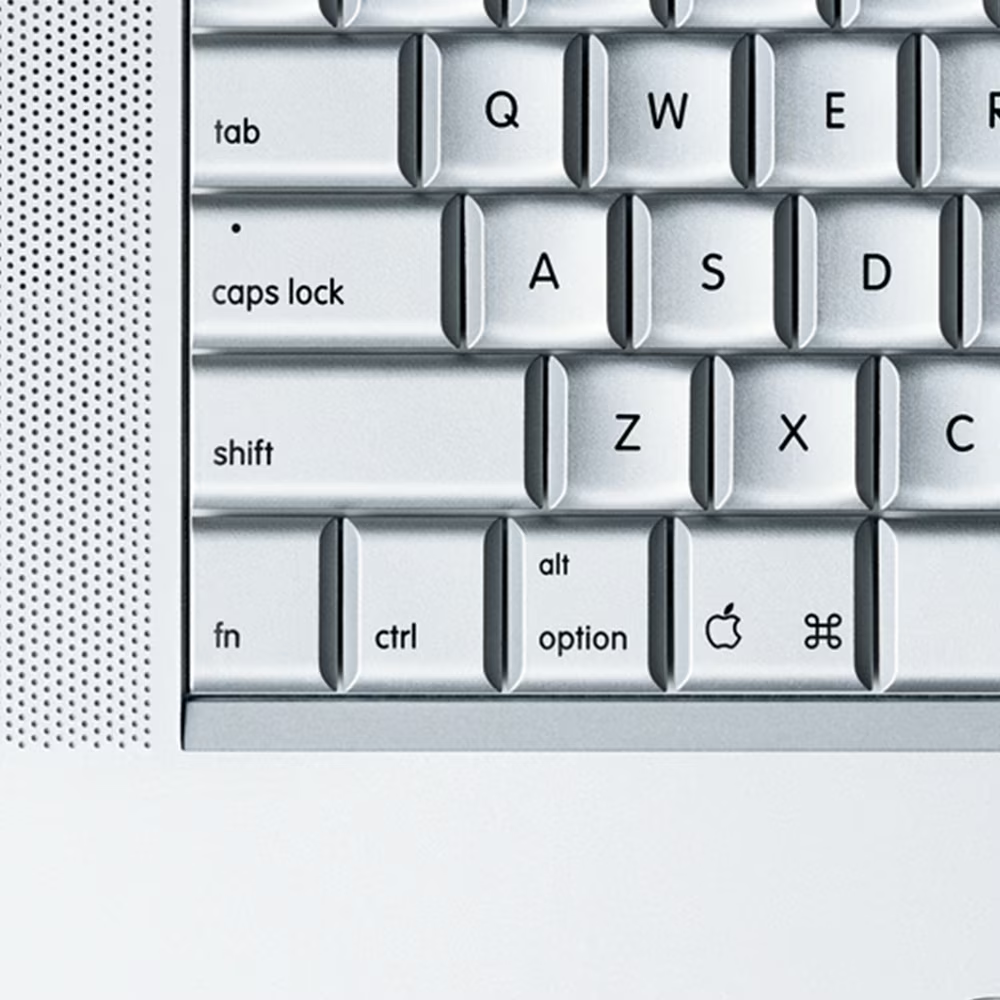
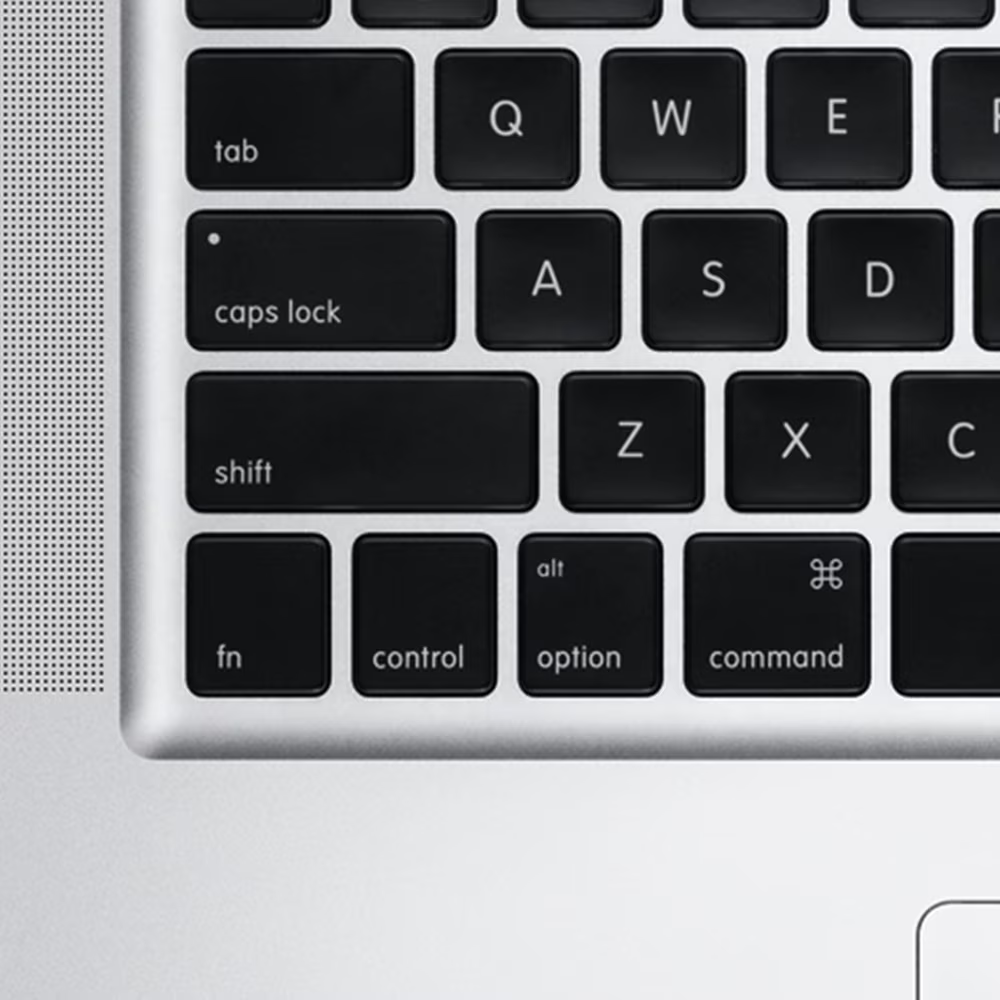
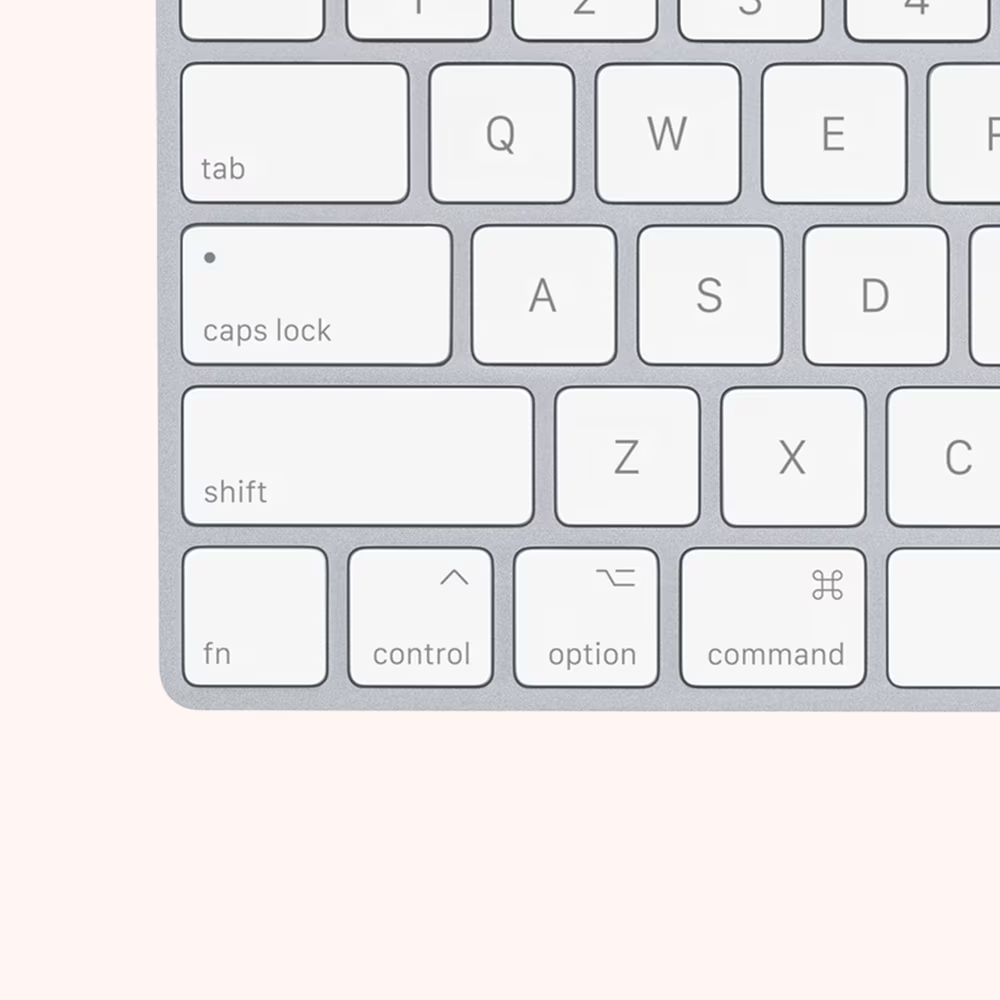
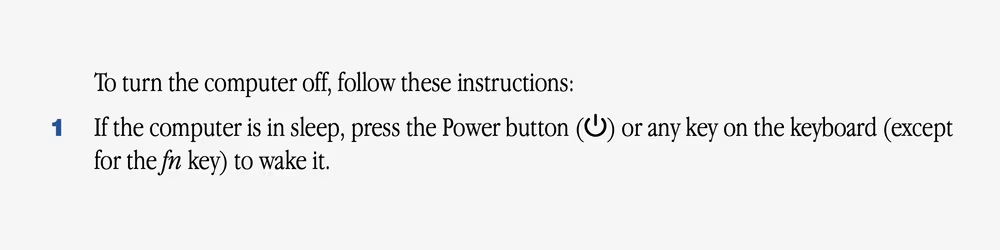
But another kind of damage was even harder to undo. In 1995, Apple ostensibly had the same number of modifier keys as Microsoft – ⌘⌥⌃ vs. CtrlAlt⊞ – but at least on the PC side, the ⊞ key was scoped neatly to a very specific set of tasks under precise control of the operating system. On Macs, the modifier keys were unbound and effectively interchangeable, so despite Apple’s protestations…
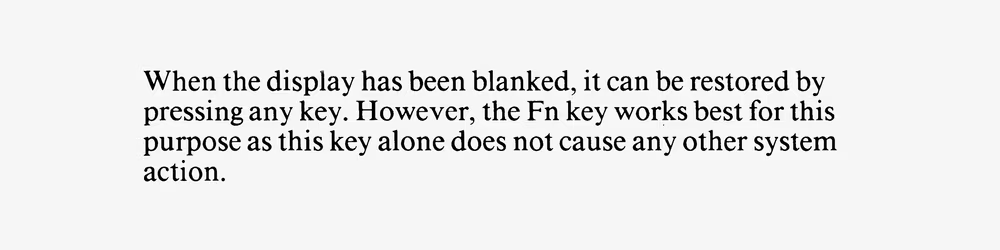
The Control key is used with terminal-emulation programs for control-key sequences. For all other applications, it is reserved for end-user-defined shortcut key sequences using a macro-key facility.
…more advanced keyboard shortcuts in various apps started reaching for either ⇧ or ⌥ or ⌃ – first in addition to ⌘, and eventually solo – because all were available.
And, as both operating systems started appearing on notebooks, they welcomed to the bottom row the already well-established Fn key. On the Mac, the key first appeared with the 1997 PowerBook G3 – color-coordinated as other laptops have been doing, and offering similar functionality.
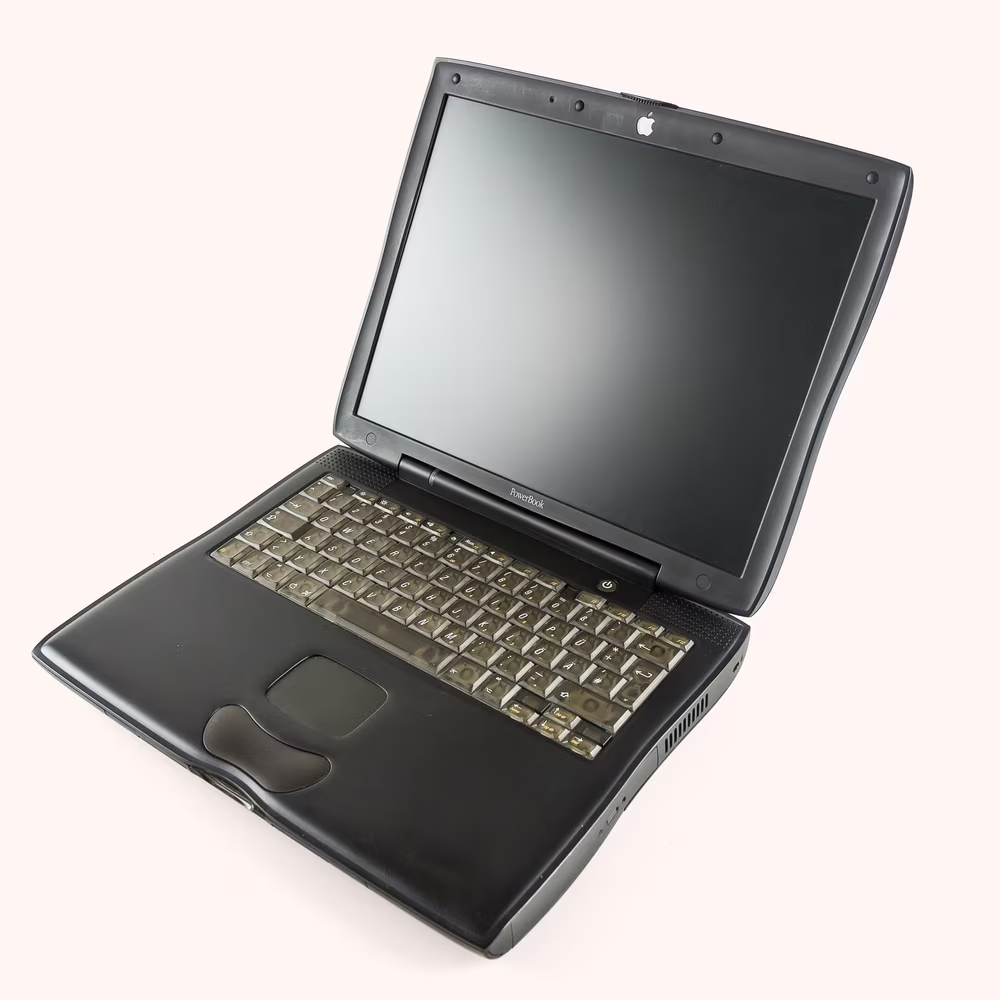
Over the next decade, as the internet explosion caused computers to reach more and more casual consumers, the internal numeric keypad emulation disappeared, and in 2007 Apple’s smaller notebook-like keyboard became available for desktop computers as well.
4
And then things got really messy for the poor Fn key.
In 2012, with the release of Mac OS Mountain Lion, Apple crossed a line no edition of the key attempted before: one of the signature releases of the operating system allowed you to tap Fn twice to enable dictation.
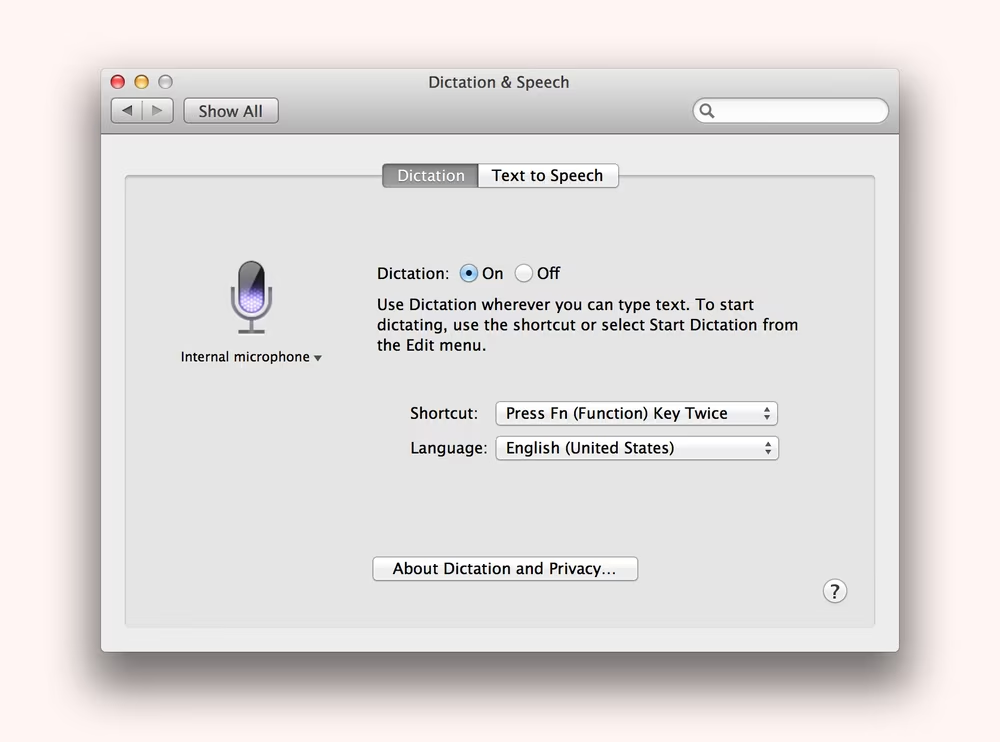
From user’s standpoint, it was a nice and convenient gesture. But for the first time, this was Fn key doing a regular key’s work. Previously, Fn’s tasks were either related to computer hardware and something the operating system never knew about (screen brightness, volume, and so on), or otherwise the signals sent to the computer were of the other keys Fn was resurrecting (e.g. pressing FnDelete sent over Forward Delete). But here, there was no dictation key to simulate. The Fn key itself had a personality it had to announce to the operating system.
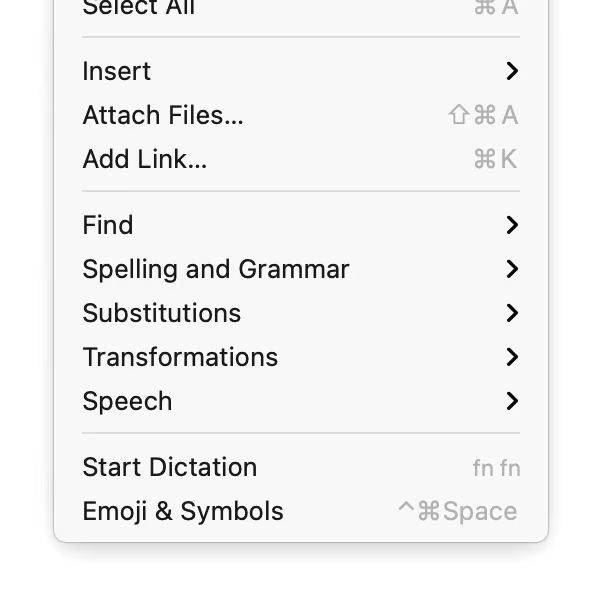
This worked within the closed proprietary confines of Apple’s keyboards built-in and external. But it immediately complicated things for third-party keyboards. They either didn’t have the Fn key – or if they did, Fn was never supposed to work and be visible in that way.
It was that moment in 2012 when you start seeing a trickle of users complaining online about Fn being confusing. (Spoiler: the complaints continue until today.) Sure, Apple provided alt options for dictation, including other shortcuts and onscreen buttons to tap. But you had to know you can switch the shortcut, and then do it yourself. If you didn’t, for the first time you might have spotted in the menu a key that you didn’t have. Worse, if you did, it might not have – it could not have – worked!
The second domino was iPad Pro’s release in 2015. Prior official iPad keyboards didn’t have an Fn key, but the magnetic Smart Keyboard arrived with a key in the lower left corner with a completely new symbol: 🌐. The globe key allowed to switch between keyboard layouts, one of which included a useful emoji keyboard during the peak of emoji’s cultural relevance.
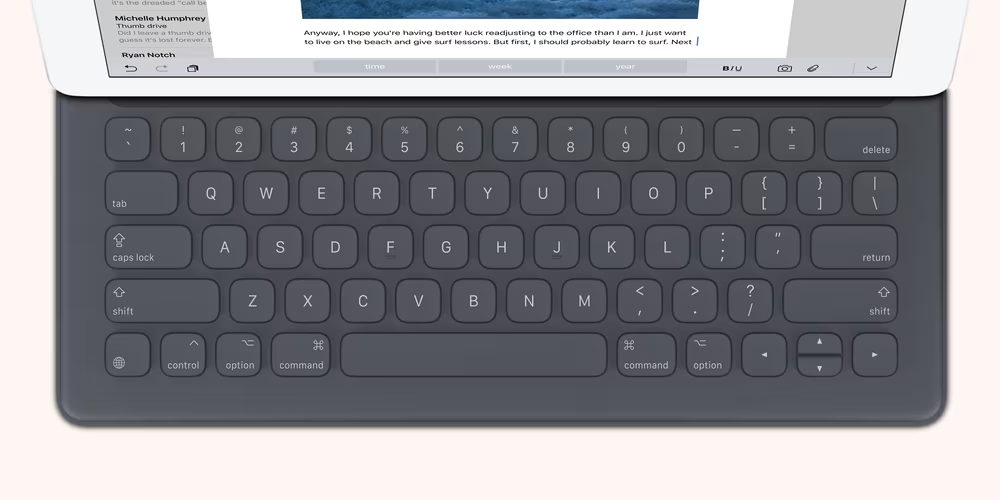
Reviewers were perplexed by the lack of other iOS-specific keys – even previous iPad keyboards from Apple had a home key – but over time they discovered that “traditional” shortcuts like ⌘H and ⌘Tab worked for that purpose.
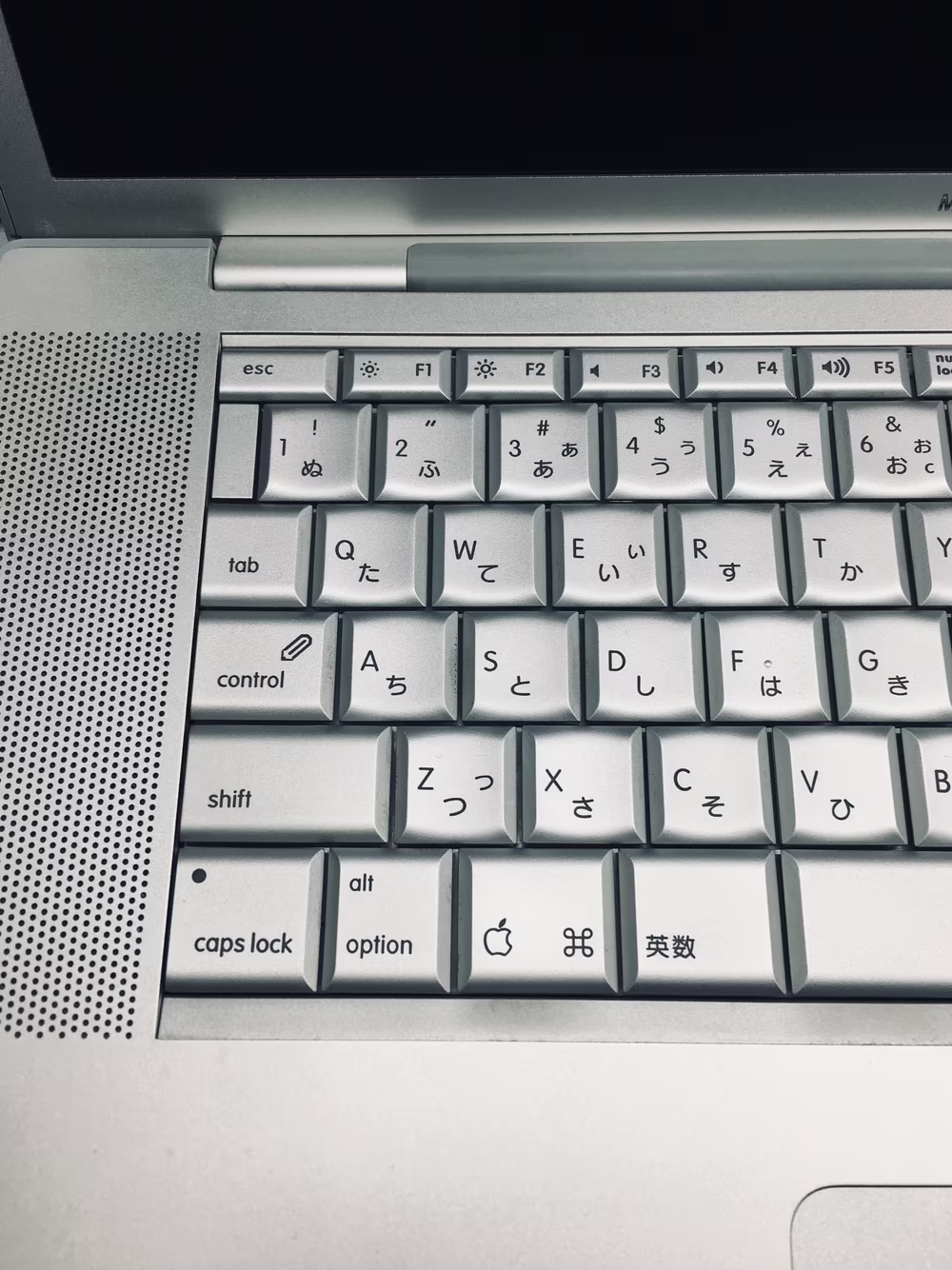
At that point, it seemed Apple wanted to basically bring Mac-style shortcuts to the iPad, and somehow deemed the layout swapping important enough to promote to a newfangled corner key. In 2019 and 2020, the Globe key crossed over: the new MacBooks started adding the globe icon alongside the existing “Fn” label and allowing to access keyboard layouts the same way.
But it was 2021 where an enormous new piece of a puzzle dropped. It turned out that this was a different story. Twenty-seven years since Microsoft did so, Apple too wanted a Windows-style key that only they could control.
Suddenly, the globe key on the iPad and the hybrid globe/Fn key on the Mac were equipped with a million Windows-like tasks: 🌐C to activate Control Center, 🌐A to show the dock, 🌐N for Notification Center, and so on. There was also 🌐← and → to jump between apps (even though ⌘Tab also did that), 🌐H to go to the home screen (same as ⌘H), 🌐F for fullscreen (also available via ⌃⌘F), and a bunch of other window management functions. You could even press 🌐D for dictation, even though by now F5 was promoted to serve the same purpose.
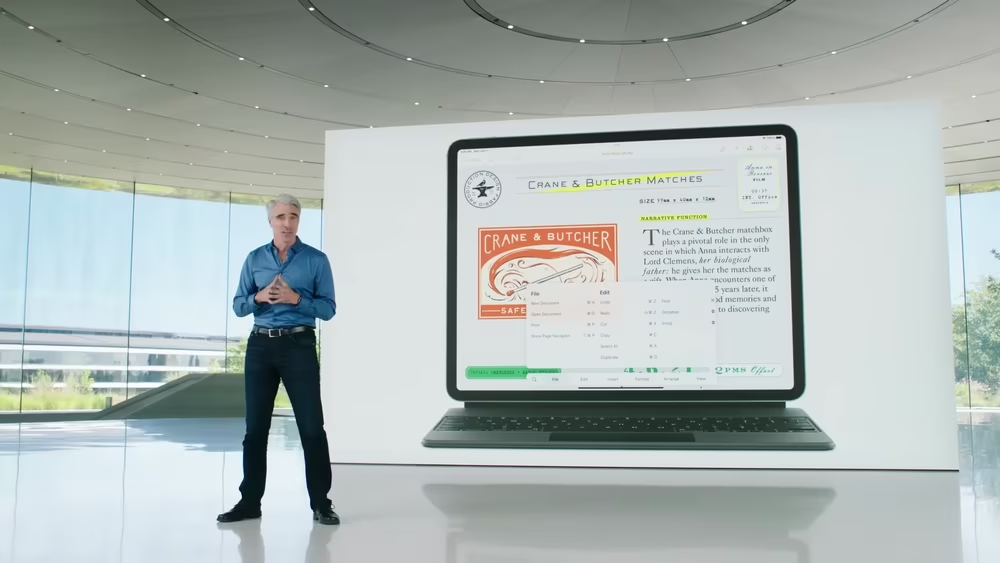
But Apple kept their new 🌐/Fn key close to their chest – only Apple keyboards and selected partners were allowed to generate the right code. This resulted in a complex scenario where Logitech keyboards for the iPad had a functioning 🌐 key, but other Logitech keyboards came with this warning:
The Fn key on Logitech keyboards, when connected to macOS or iOS, functions differently from the Fn/Globe key on Apple. […] Logitech keyboards do not send the Fn/Globe key keycode in a manner that is compatible with Apple's specific shortcuts. As a result, certain Apple functions, such as window tiling and other shortcuts reliant on the Fn/Globe key, are not supported by our keyboards.
It wasn’t just people complaining – now it seemed even Apple’s partners were.
In 2012, the problem of a key combination that didn’t sometimes exist or didn’t sometimes work was limited to dictation. In 2021, Apple extended the blast radius, and since added even more 🌐 shortcuts for window management – but ignored all of the original problems.
5
What is Apple’s way out of this? I have no idea.
What is there right now is not sustainable. I use a third-party keyboard and I’m seeing shortcuts in menu items that I simply cannot press:
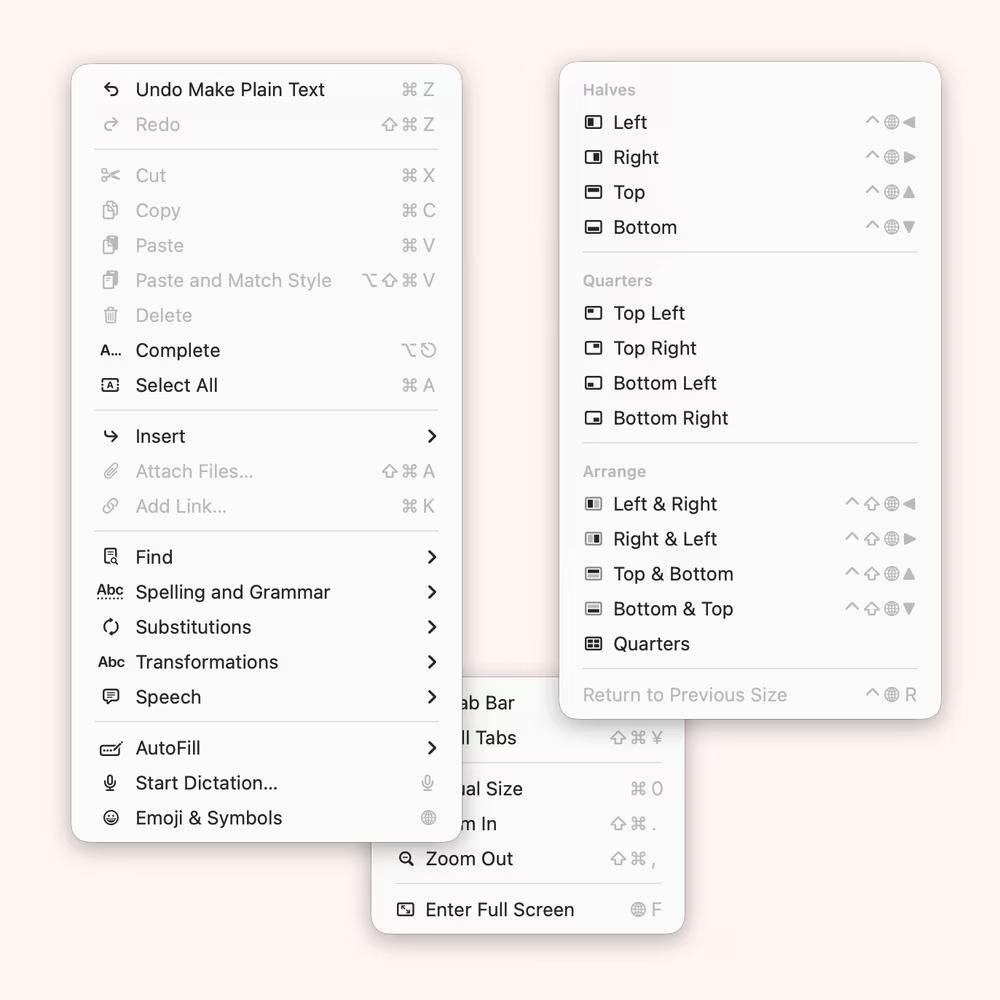
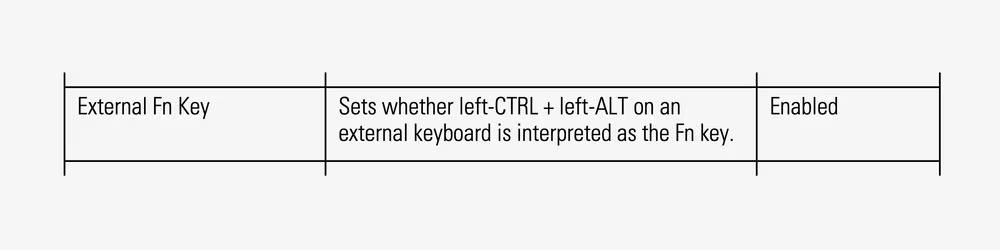
Sometimes they use the “🌐” symbol, sometimes they say “fn” – but the latter doesn’t work for external keyboards where Fn still means something it meant since 1984.
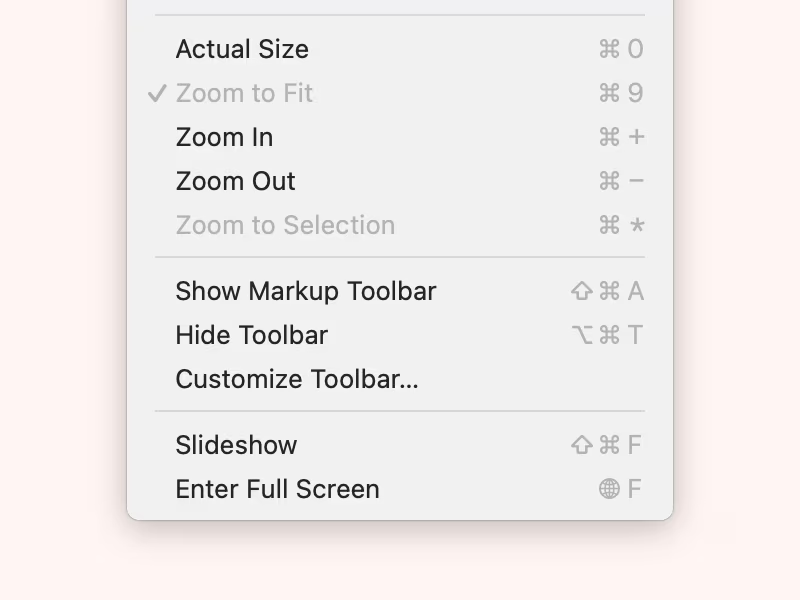
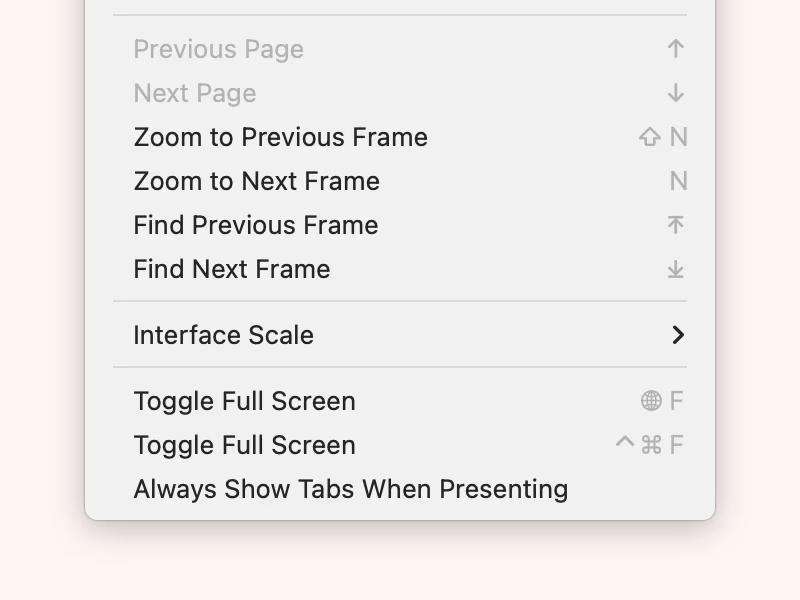
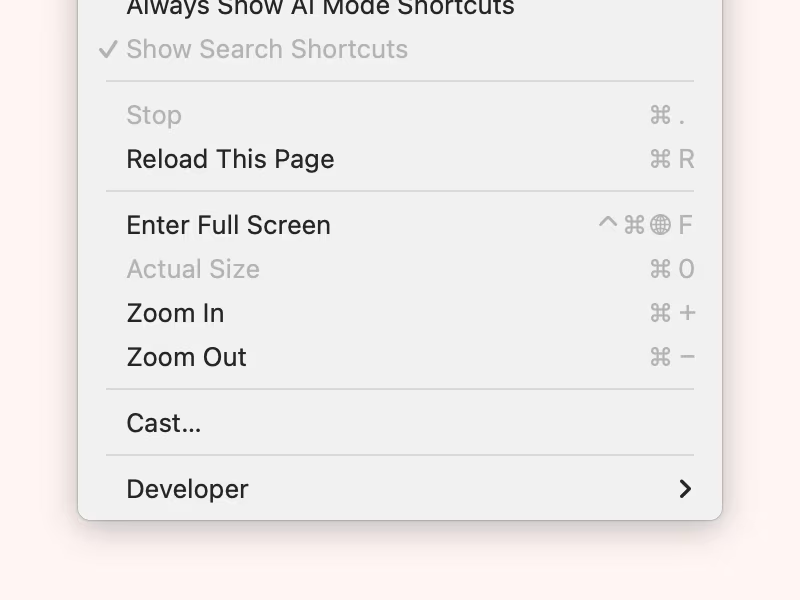
Another option is Apple managing to convince keyboard manufacturers to add a 🌐 key everywhere, and treat it as a new modifier key. But even then, I imagine many keyboard manufactures will still want a traditional Fn key they can fully control. After all, many keyboards are their own computers now; my mechanical keyboard dedicates a lot of Fn shortcuts to internal actions like switching layers, controlling backlight, and Bluetooth connectivity. Others do a lot more. There are also entirely too many layouts with too many missing keys to assume Apple’s mappings will work for everyone in perpetuity: What if Apple at some point decides that 🌐Esc means something, and you already used it for something else?
So what are all these keyboards supposed to do – have both Fn and 🌐, effectively adding a sixth modifier key?
If Apple was the sole manufacturer of all keyboards, this would maybe make sense – but obviously so many other keyboards exist, and people want them for reasons of aesthetics, efficiency, and accessibility. And if this is meant as a benefit of using Apple keyboards, then it feels extremely misguided.
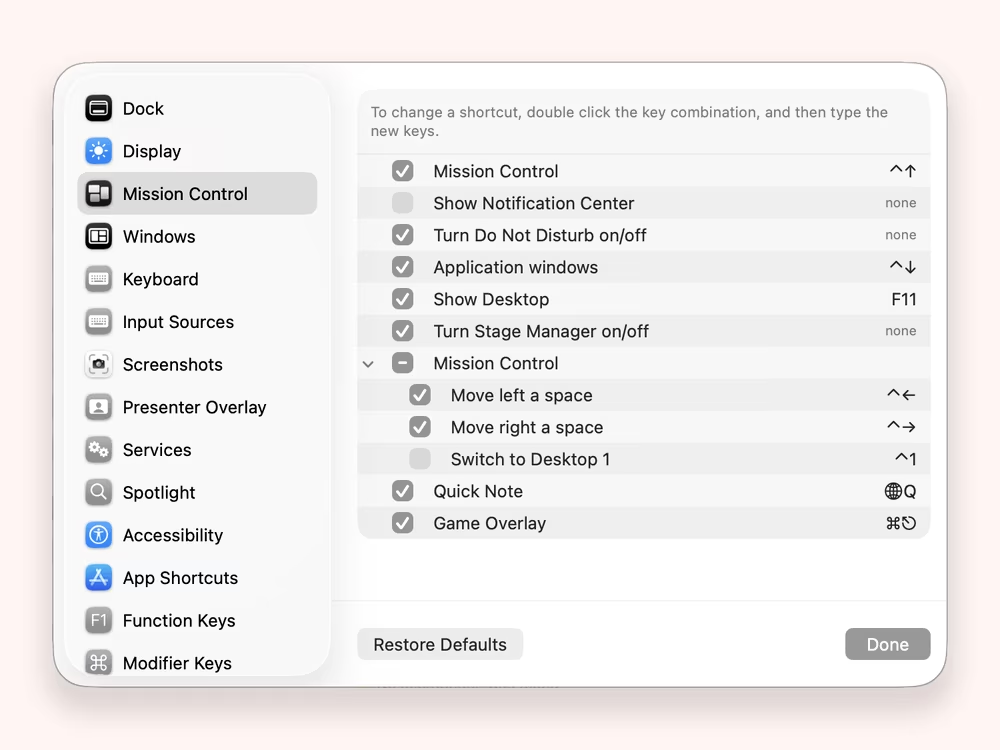
Look at any system shortcut list in macOS, and you realize it’s filled with strange inconsistencies – why can you map 🌐 solo to reveal the desktop, but cannot map Mission Control to 🌐↑ – only to Ctrl↑?
On a Mac, in particular, 🌐 doesn’t make sense since tons of existing ⌘ shortcuts are “global” anyway: ⌘H to hide a window, ⌘Space to search, ⌘Tab to jump between apps. I can’t imagine Apple moving them to a Globe combination, because 🌐 is unpleasant to press: small, far away from your thumb, and only available on the left side.
Why weren’t, for example, the extremely awkward screenshot-taking shortcuts globed already? Probably, I imagine, because they wouldn’t be available at all to many people; right now, Apple can only add 🌐 shortcuts that didn’t exist before and didn’t lodge themselves in motor memories of their users. But how many more new shortcuts do we need? And what’s the plan for the existing ones?
On top of it all, Apple already failed at making the new key combinations work the same between the two platforms it introduced it to: 🌐 plus arrow keys means something else on the iPad and something else on a Mac.
I continue seeing confusion in forums around Fn and Globe keys. My brand-new portable Logitech keyboard has a 🌐 key that works when I pair it to my iPad, but doesn’t when it’s connected to some of my Macs. No Globe shortcuts work via remote desktop or in simulators. Most external keyboards don’t support any of them – and if it’s possible to make it happen for a few, it requires third-party software and two journeys to two different keyboard underworlds.
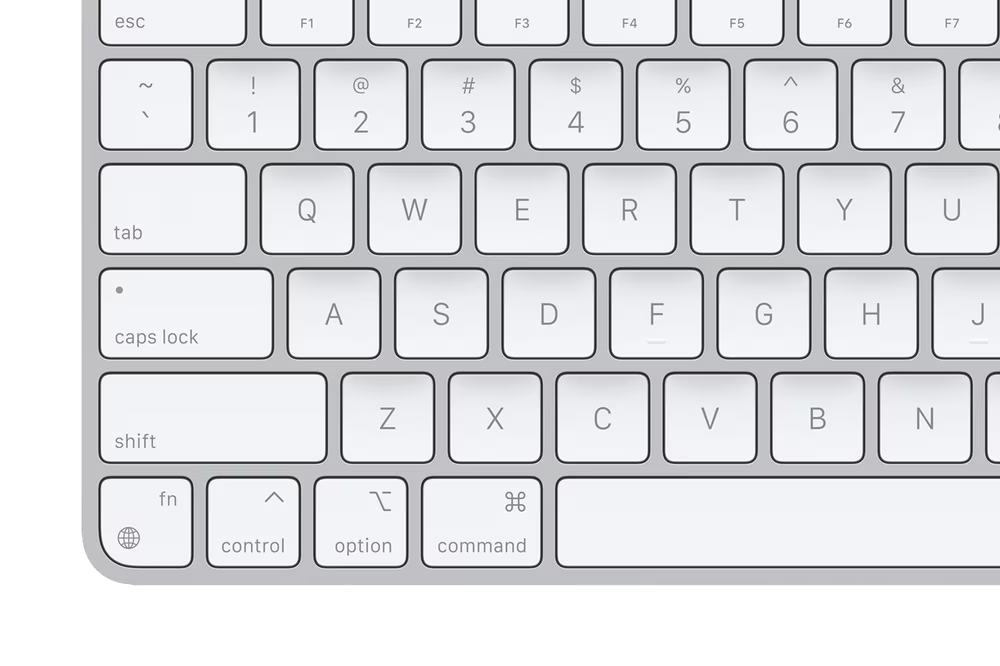
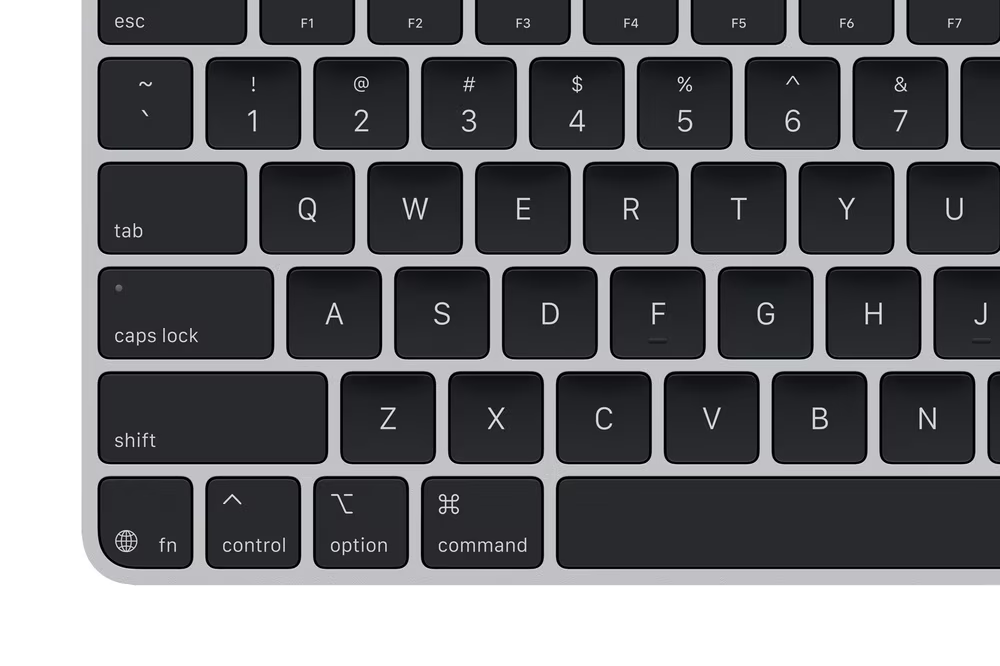
Even on Apple’s keyboards, why are Fn/Globe symbols swapped visually compared to everything else? And does Apple really plan eventually to put a “globe” text label next to it?
6
Okay, keyboard nerd. Relax. It’s just a modifier key. Why are you so worked up about it? If you don’t like it, don’t use it.
This matters to me and feels bigger than just Fn, because I know keyboards can help you use your computer in better ways than you might imagine.
Doug Engelbart’s demos, combined with experiences of typists and musicians before him, showed us that this actually works. That you can offload a lot of menial stuff to faraway parts of your brain. That you can use your keyboard and achieve flow without thinking about what you’re doing. A lot of us no longer consciously perceive ⌘Z or the beautiful duo of ⌘C and ⌘V – they’re just things our fingers do without us thinking. Many other keyboard shortcuts and interactions can feel that way, unlocking new and better ways to use your computer.
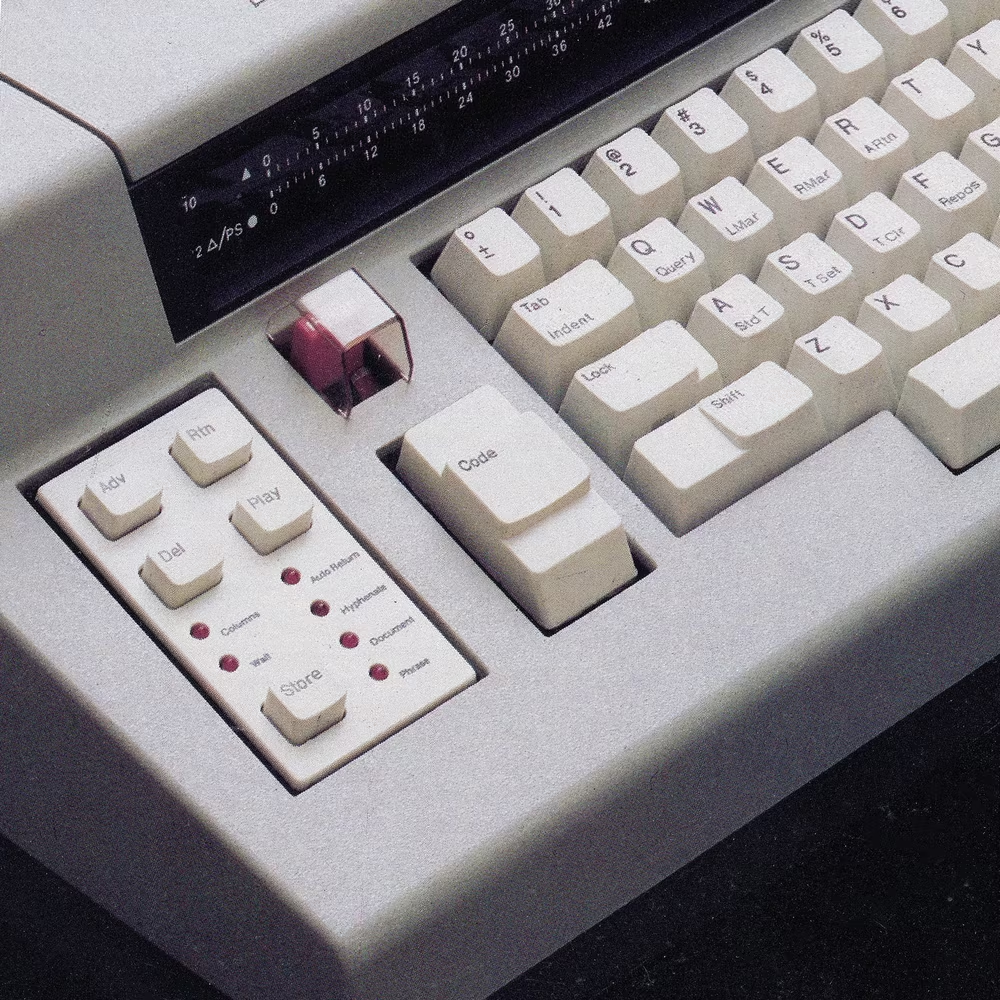
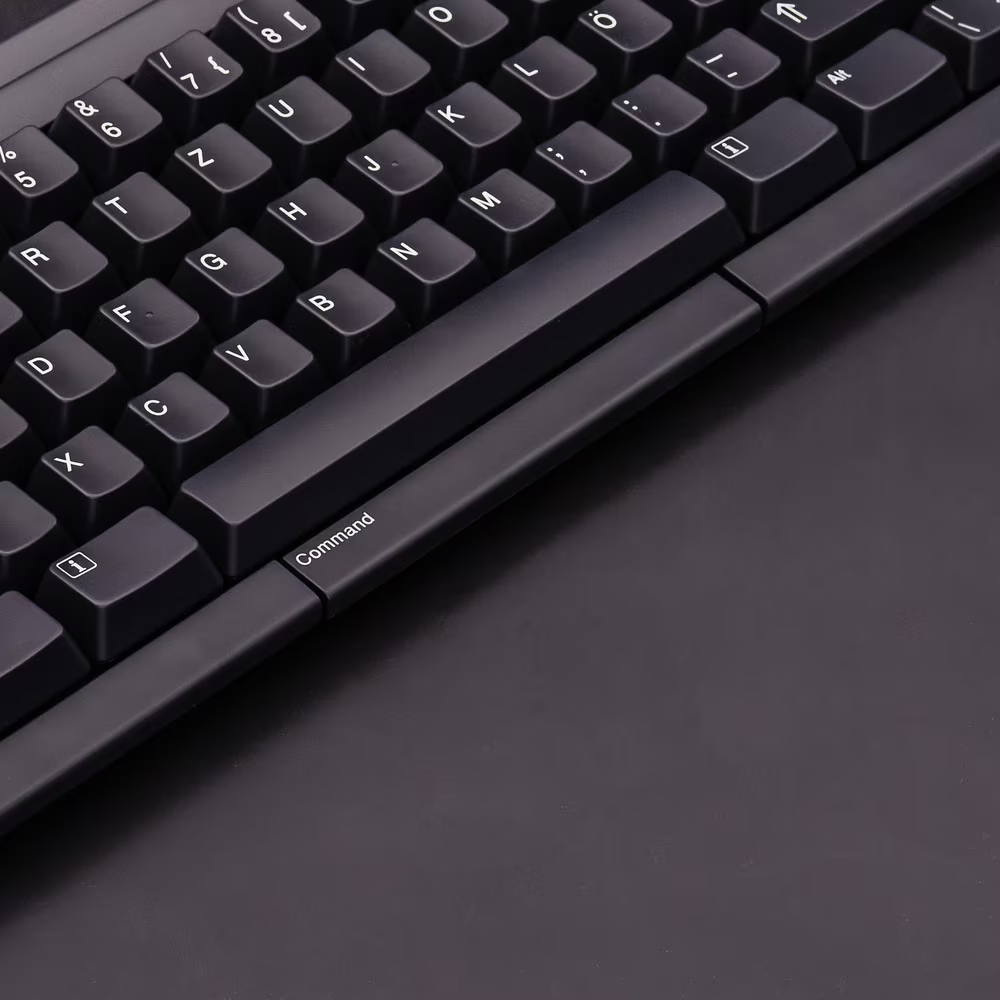
But this cannot happen with millions of modifier keys packed like sardines in a box. Early electronic typewriters from IBM understood it with large keys like Code, and NeXT in 1992 even experimented with a long ⌘ bar below the spacebar for the same reason.
But look what happened to the Mac since 1986:
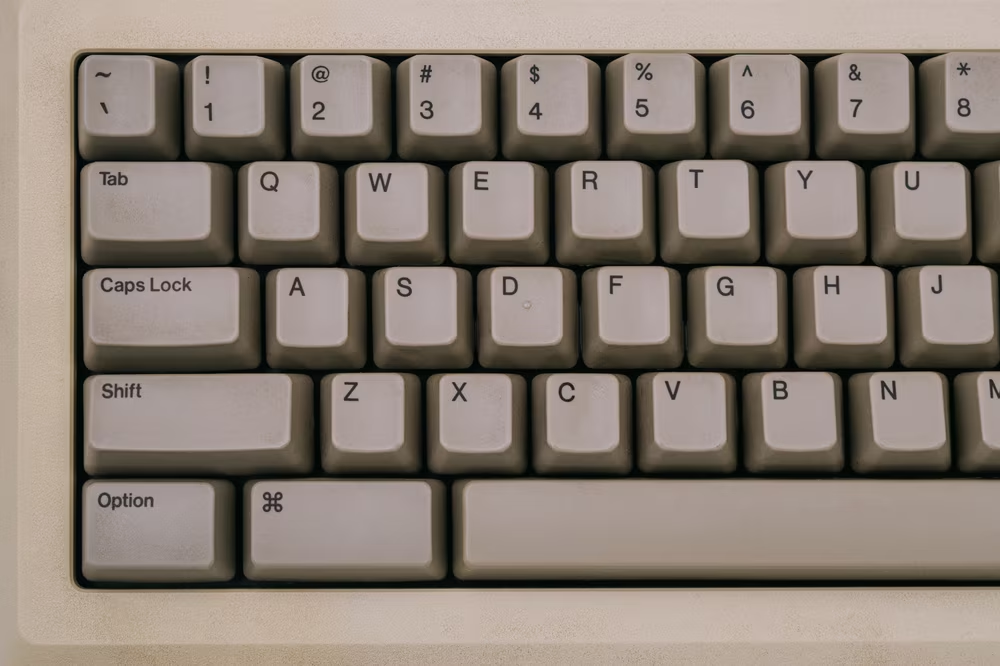
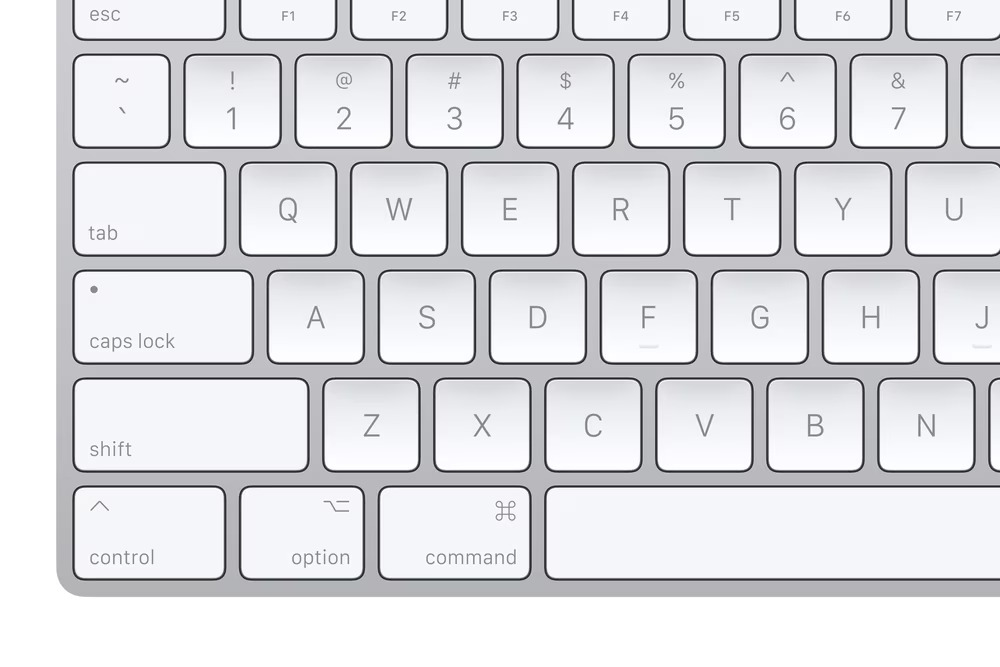
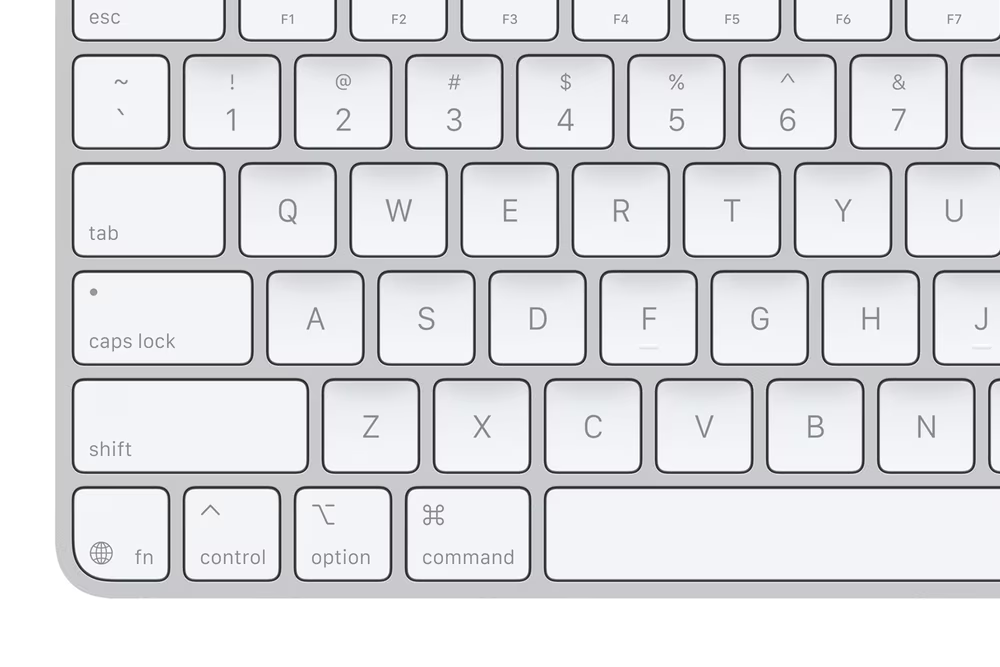
Today, the space around space is a zero-sum game. Purely ergonomically, Fn makes the other keys smaller and harder to press. On smaller keyboards, the modifiers are now more narrow than regular keys, and yet are still meant to be pressed either with the least precise thumb or with other fingers travelling far frm the home row. On Apple’s official Japanese desktop keyboard, Fn even has to be put on the right just because there is no room for it on the left.
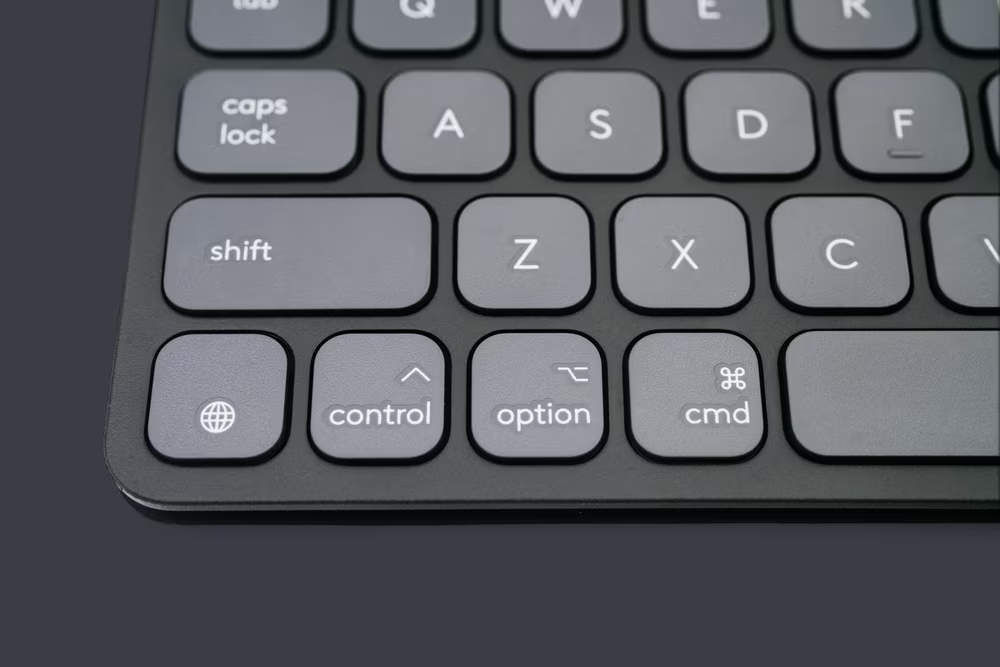
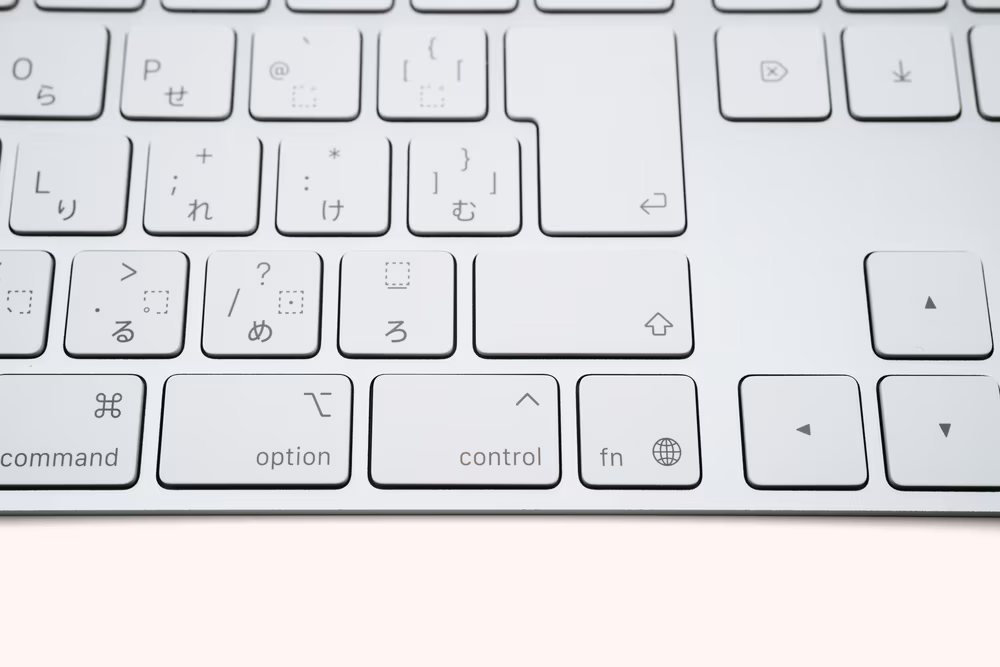
But it’s not just ergonomics. One new of anything means more cognitive load. Fluid and natural keyboard use cannot blossom when a system of modifiers and shortcuts is confusing, inconsistent even between platforms that Apple controls, and when any time you use a third-party keyboard, some keys are unavailable, and some menus lie to you.
How can you trust a system that doesn’t fully work? How can you understand a system that doesn’t understand itself?
“Don’t use it if you don’t like it” doesn’t magically make the other keys bigger, or reduce confusion. The forum complains continue, and even Apple experts struggle to make sense. A 2021 article about the Globe key speculated that it will take over multimedia transport controls (instead, the next Magic Keyboard simply resurrected the function key row at the top), and that it will soon allow user shortcuts…
…which apparently is possible in Shortcuts on a Mac! I can assign a Shortcut to 🌐Y which feels like it shouldn’t be allowed, but it is:
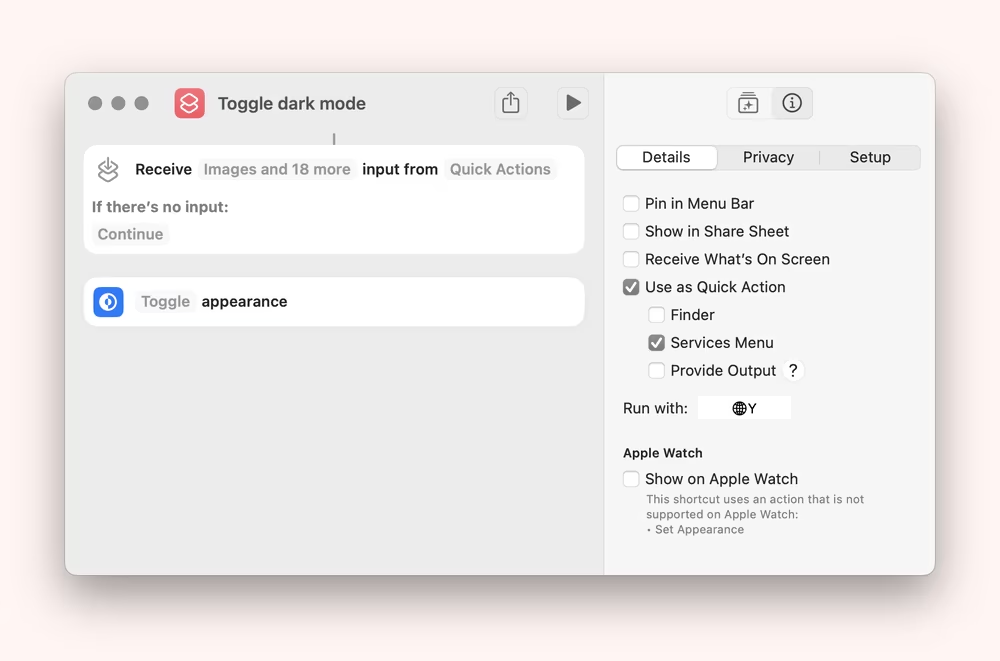
…and yet, at the same time, I cannot assign it to 🌐H. So, who’s in control here? What if Apple at some point grabs 🌐Y for some new feature? Would my shortcut and the motor memory attached to it just be thrown away?
And why doesn’t assigning to 🌐 work in other parts of the operating system? Is the above meant to be a Shortcuts perk, or is it a mistake? If the former: why? If the latter: how? Apple talks so little about the keys and updates their docs so rarely that I genuinely have no idea.
7
This is a mess and I’m angry at Apple about it.
iPad simply doesn’t need five modifier keys downwind from the spacebar. I would argue even Mac doesn’t. I know that shortcut transitions are hell, and motor memory of your userbase a cruel force to be reckoned with, but this is undoable. Moving even an aircraft carrier is possible – it just takes a careful many years of planning and execution. Of all companies today, Apple is perhaps the only one that could shepherd that transition.
And I also believe keyboard reinvention is necessary over time. Our usage patterns change. No one mourns Insert. Microsoft cleverly reused PrtSc to be a screenshot-taking key. So many people begin and end on smaller keyboards today that they might just not know about PgUp, or Home, or Forward Delete, the once ghosted keys that are possibly effectively completely dead.
But Apple, come on. Not like this. We’re here 14 years after you started tinkering with the Fn key, and it’s a mess bigger than ever. There seems to be no larger plan, and every few years starting with 1986, we get another perplexing and shortsighted decision.
You want to hear something funny? There existed some Fn keys before PCjr, and one of them was on a British computer called Acorn Electron, released in 1983. It wasn’t there to approximate other keys, but to do something more like what Apple wants to do with 🌐 today – to speed up issuing commands.
And you know where Acorn put it? They colocated it on the Caps Lock key, because even in 1983, we already knew Caps Lock didn’t deserve the large size nor the Central Park-adjacent location for whatever it offered.
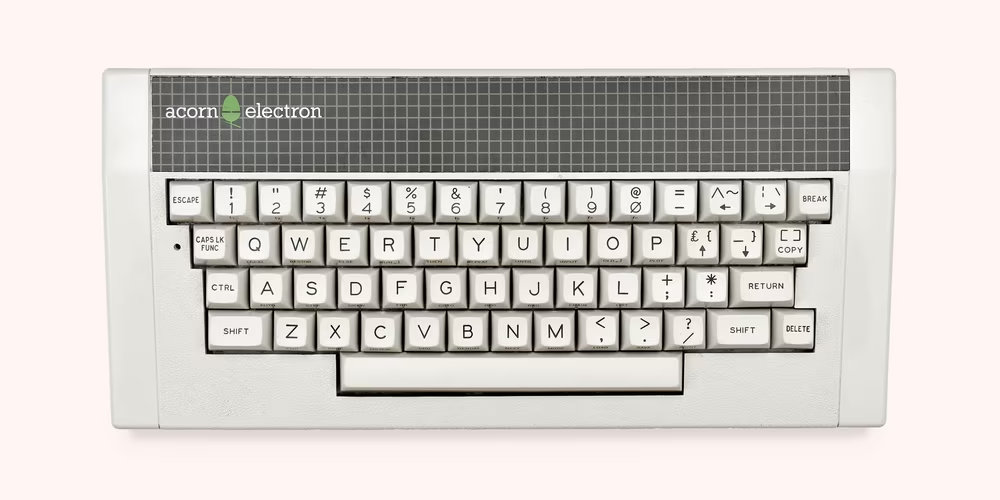
This was one solution, right here, that was staring Apple in the face all along. Get rid of Control and Fn, and repurpose Caps Lock as a system shortcut. There are other approaches, too. None of them are easy or fast, but that shouldn’t be an excuse.
I know Apple doesn’t consider hardware keyboard too worthy of innovation; the venerable slab of QWERTY never appears next to iPod’s wheel and multitouch on the list of input breakthroughs they’re proud of, and the only interesting physical Apple keyboard was 1993’s Adjustable.
But this isn’t about innovation. Keyboards aren’t going away. This is, at this point, proper maintenance, dealing with self-imposed complexity, and respect for an input method that we know can give so much back.
There was a time when Acorn, creators of generally beloved computers, was called “the British Apple.” Apple, you’re breaking my heart with all this keyboard stuff, and so I’m telling you this with spite: You can do it. If you apply yourself, you can become the American Acorn.