Developing hierarchy
Unique shapes
Shapes that are unique differ from the shapes around them, making them stand out. Components with unique shapes stand out from other components, the content...
Shapes that are unique differ from the shapes around them, making them stand out. Components with unique shapes stand out from other components, the content that surrounds them, and the UI as a whole. Their shape gives them emphasized importance that helps direct user attention.
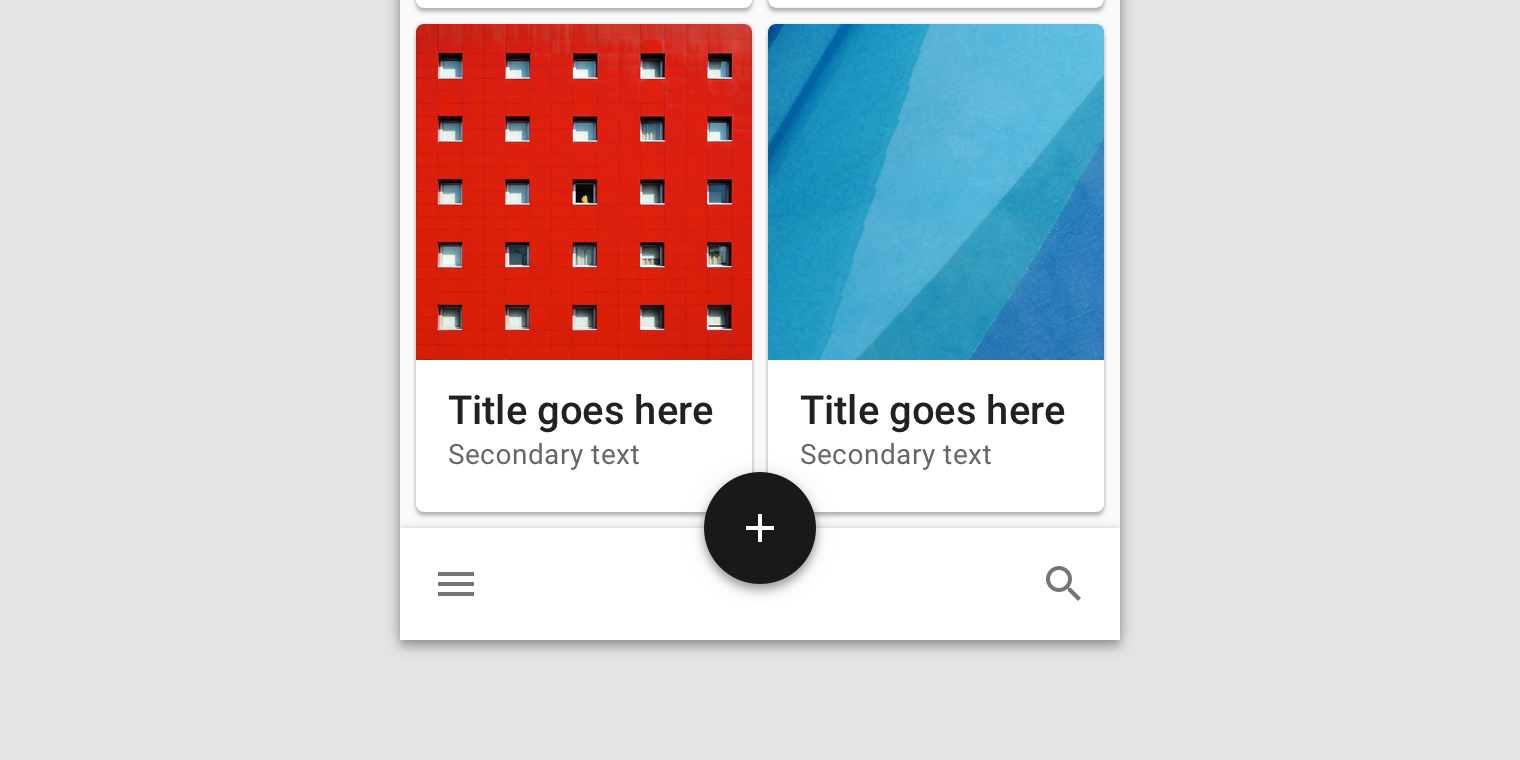
Do.
Make a shape stand out by contrasting it with other shapes. This floating action button’s round shape helps it stand out from other components, which are rectangular.
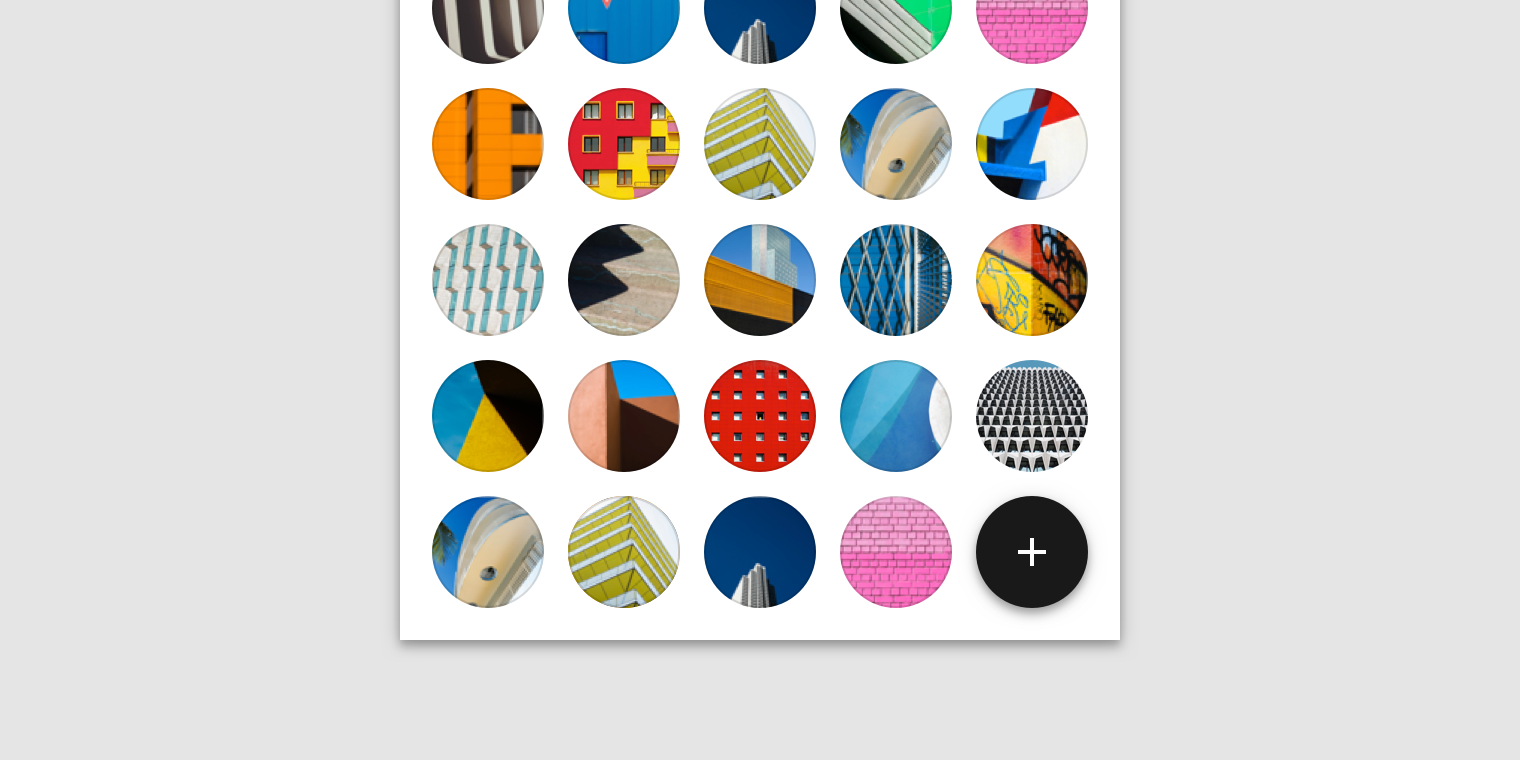
Don’t.
A shape is less likely to stand out when placed among similar shapes. This floating action button has the same shape as other elements, making it difficult to find.
Surface relationships
Connecting surfaces through shape
Shape can help users understand how Material surfaces are related to one another. Similar shapes can indicate that surfaces are peers, such as cards in...
Shape can help users understand how Material surfaces are related to one another.
Similar surfaces
Similar shapes can indicate that surfaces are peers, such as cards in a collection with matching dimensions and corners.
Related surfaces
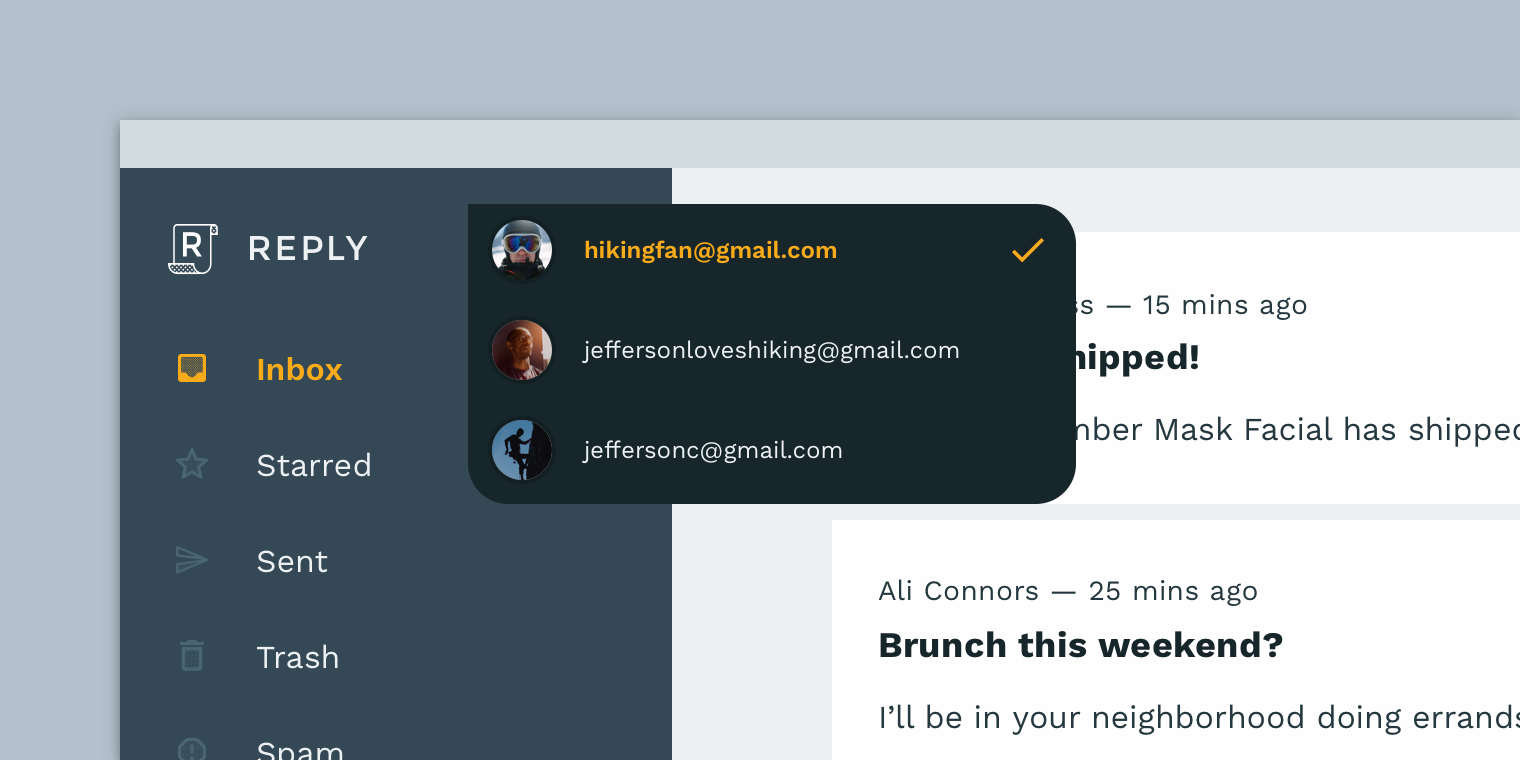
Surfaces that are related to one another can be indicated by using shapes that resemble arrows, such that they “point” to other surfaces. For example, an arrow-like corner of a menu can point to a related surface.
Separate surfaces
Shapes can emphasize when surfaces are separate from one another. For example, when a unique shape appears at a higher elevation than another surface, it emphasizes that the two surfaces are separate.
Do.
Curved corners emphasize that the white surface is separate from the purple surface behind it.
Do.
Shape helps emphasize that the surface in the bottom right corner is separate from the surface behind it.
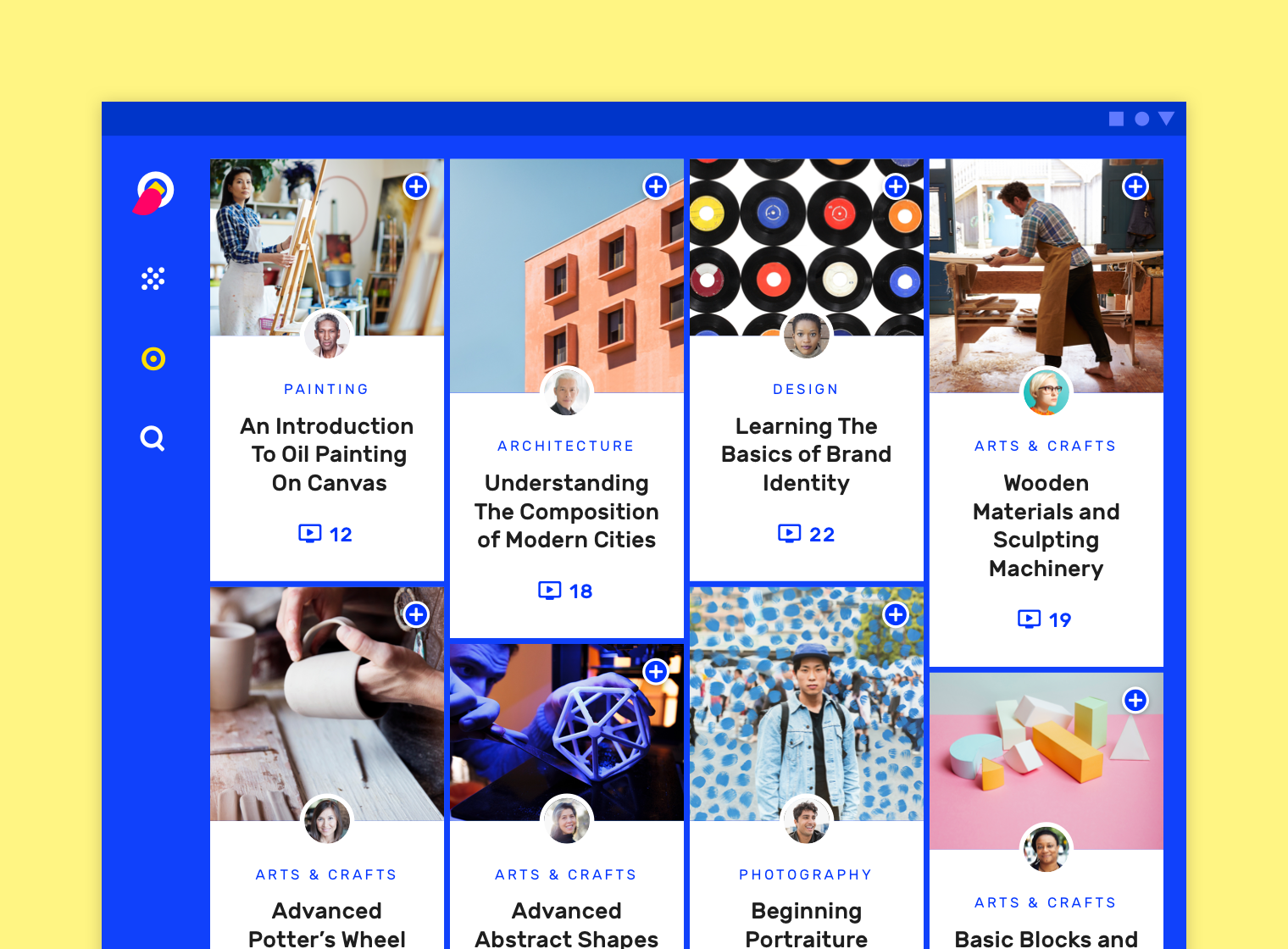
Do.
The similar shape and dimensions of the cards in this collection indicate that they are peers.
Do.
The unique corner of the menu points to its parent surface.
Don’t.
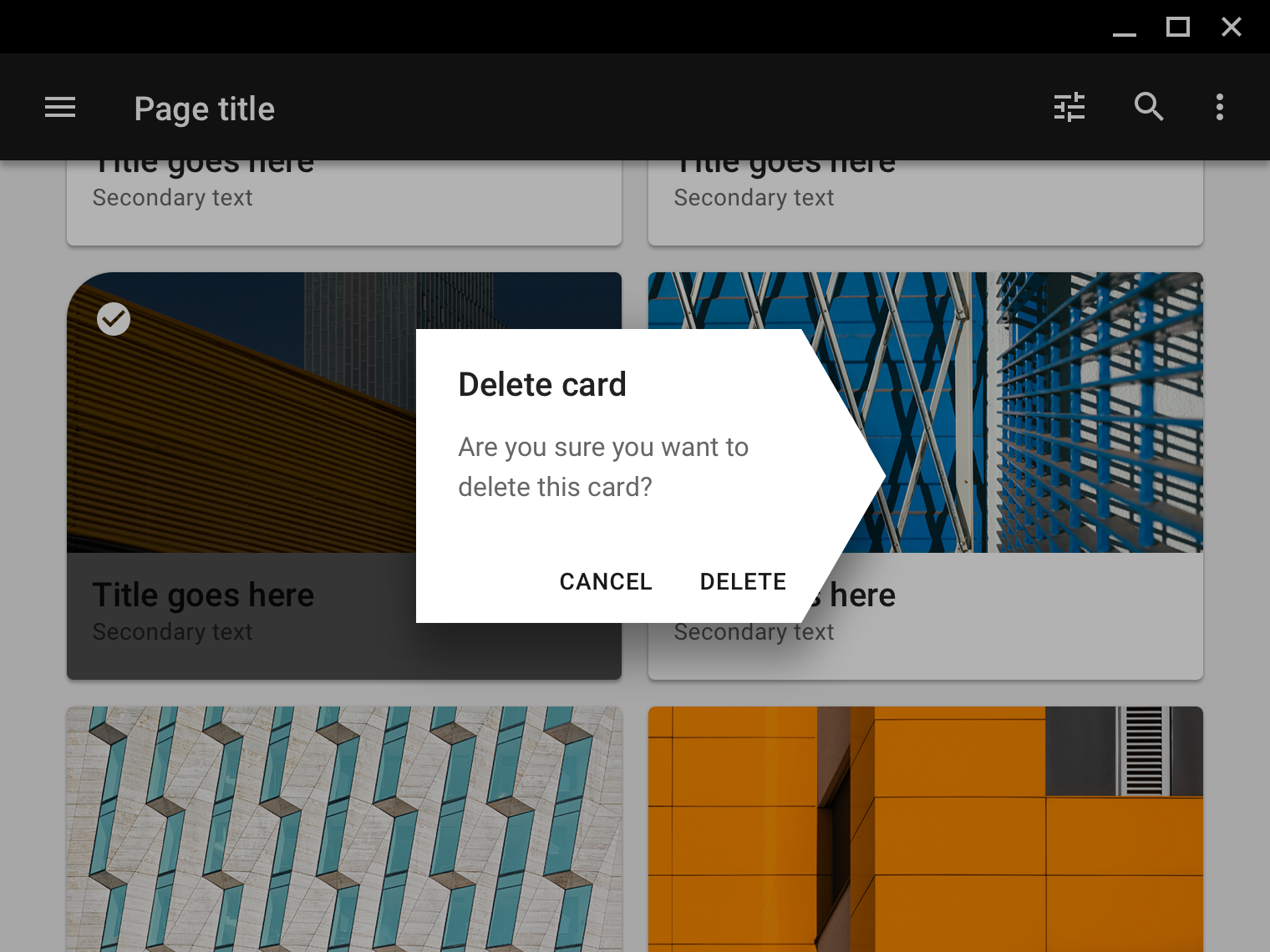
Don’t use shape to imply that elements are related if they aren’t. The shape of this dialog suggests it is related to the card behind it and to the right.